VIVOTEK
User's Manual - 71
Preference
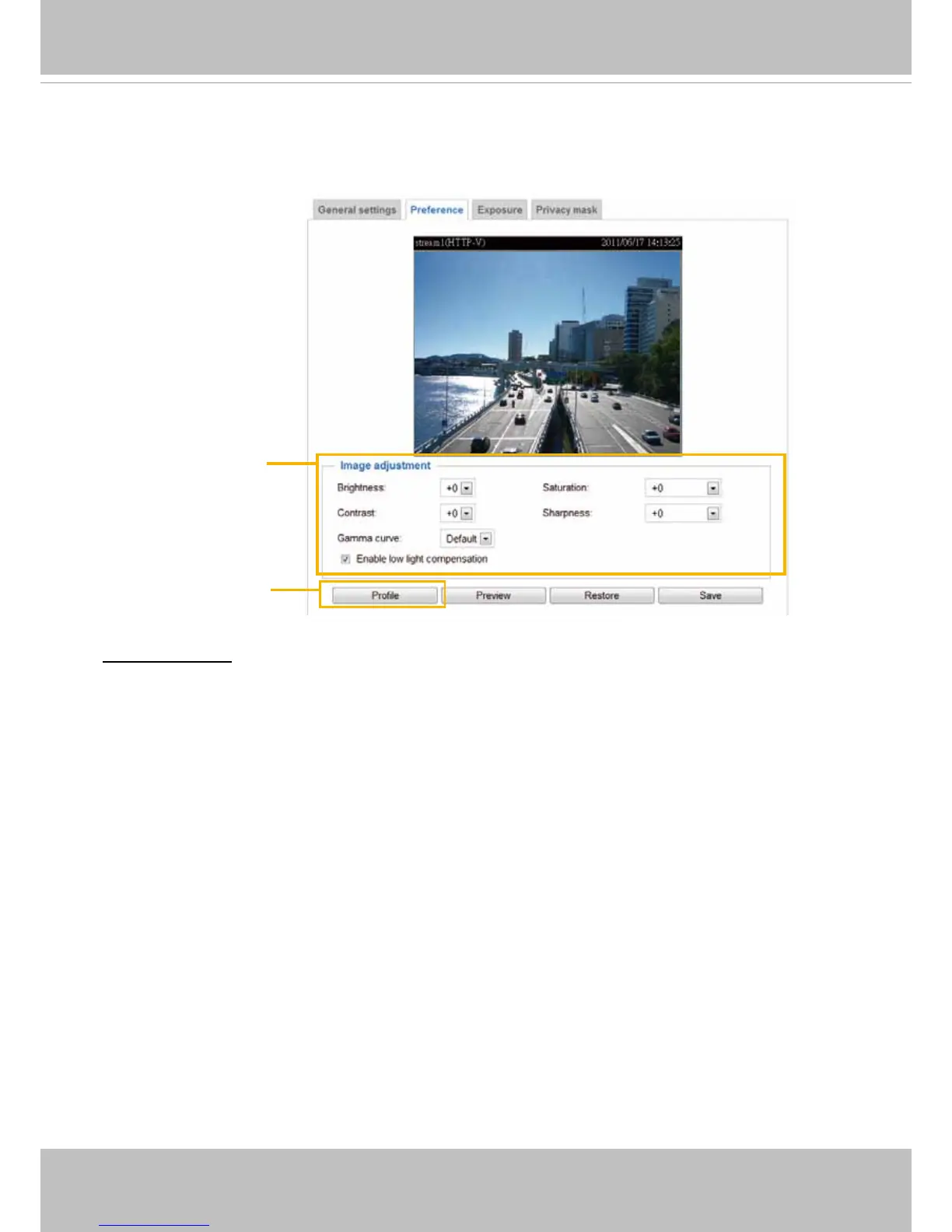
On this page, you can tune the Image adjustment parameters. You can congure two sets of preferred
settings: one for normal situations, the other for special situations, such as day/night/schedule mode�
Image Adjustment
■ Brightness: Adjust the image brightness level, which ranges from -5 to +5.
■ Saturation: Adjust the image saturation level, which ranges from -5 to +5. You can also select
Customize and manually enter a value�
■ Contrast: Adjust the image contrast level, which ranges from -5 to +5. Please note that this function will
be disabled if you enable WRD enhancement in the column below�
■ Sharpness:
Adjust the image sharpness level, which ranges from -3 to +3�
You can also select
Customize and manually enter a value�
■ Gamma curve: This function is for user to
select a proper gamma curve value to adjust the gray-scale of
the monitor�
■ Enable low light compensation: Select this option in low light mode, and the values of sharpness and
brightness will change automatically as the noise reduction function�
Sensor Setting 2:
For special situations
Sensor Setting 1:
For normal situations



 To Next Page