VIVOTEK
User's Manual - 73
Exposure
Advanced Mode
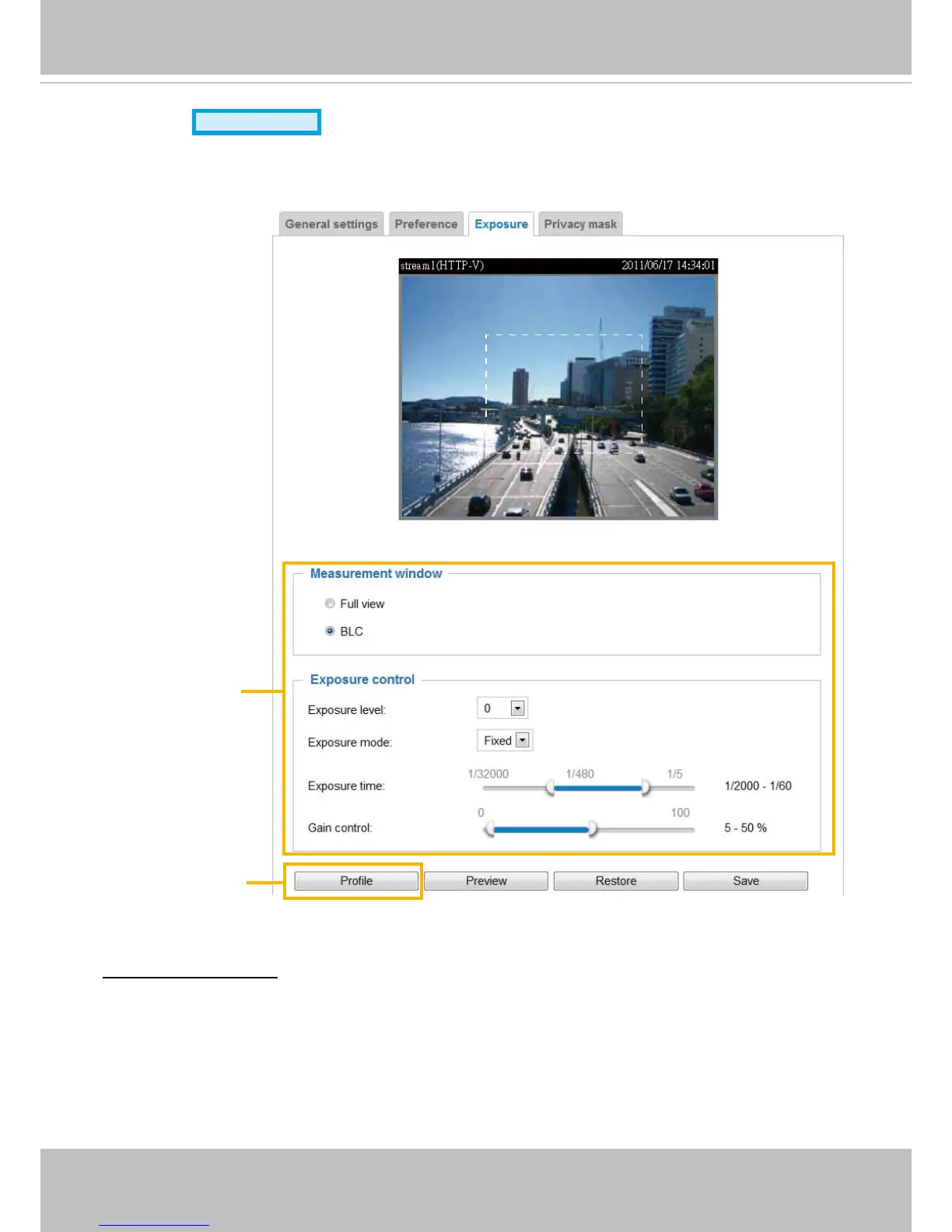
On this page, you can set the Exposure measurement window, Exposure level, Exposure mode,
Exposure time, and Gain control settings� You can configure two sets of Exposure settings: one for
normal situations, the other for special situations, such as day/night/schedule mode�
Measurement Window: This function allows users to set measurement window(s) for low light
compesation�
■ Full view: Calculate the full range of view and offer appropriate
light compesation�
2011/03/13 17:08:56
Sensor Setting 1:
For normal situations
Sensor Setting 2:
For special situations



 To Next Page