VIVOTEK
84 - User's Manual
Patrol settings
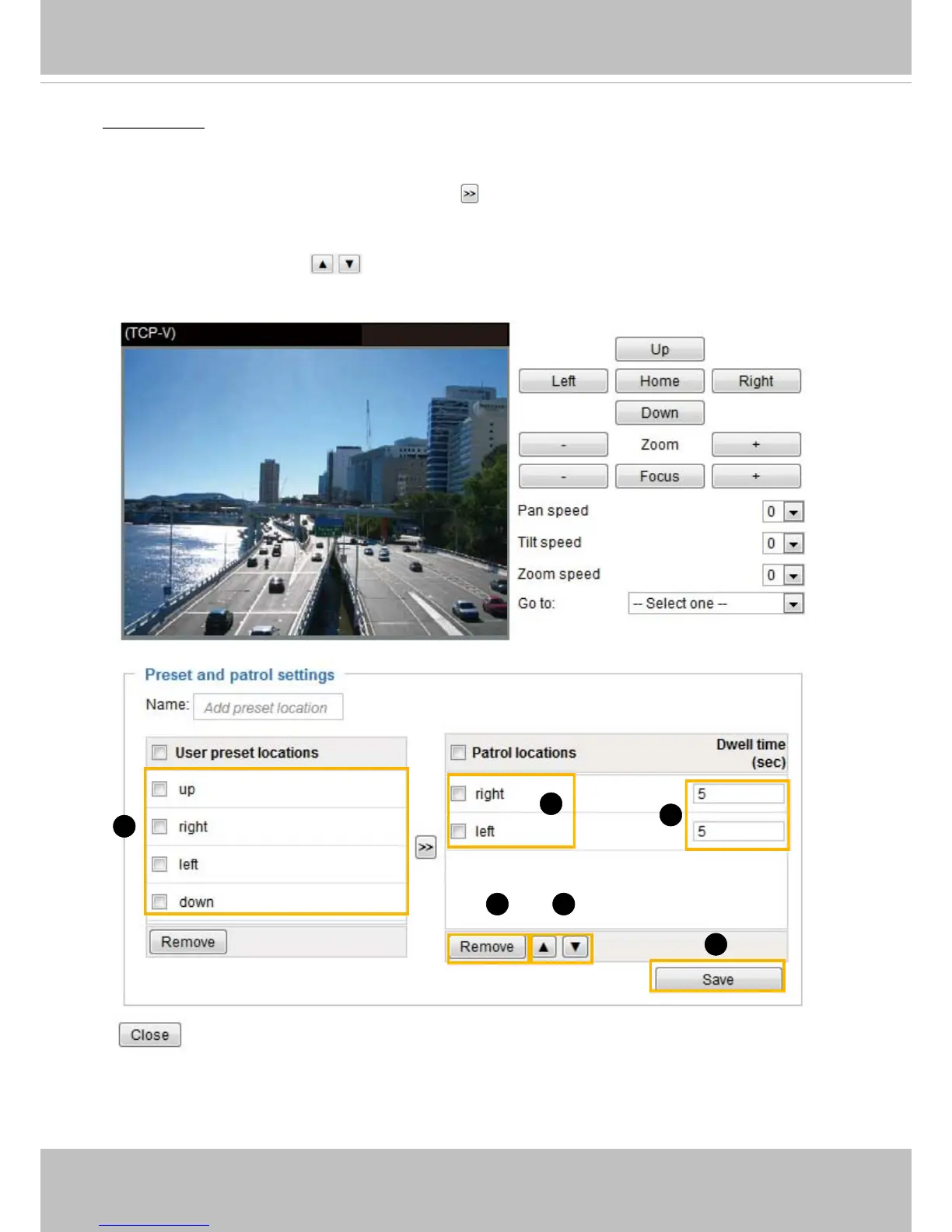
You can select some preset positions for the Network Camera to patrol�
Please follow the steps below to set up a patrol schedule:
1� Select the preset locations on the list, and click
�
2� The selected preset locations will be displayed on the Patrol locations list�
3� Set the Dwelling time for the streaming view to stay at the preset location during auto patrol�
4� If you want to delete a preset location from the Patrol locations list, select it and click Remove�
5� Select a location and click
to rearrange the patrol order�
6� Select patrol locations you want to save in the list and click Save to enable the patrol settings�
7. To perform a pre-congured patrol, return to homepage and click on the Patrol button�
2011/03/10 17:08:56
1
2
6
54
3



 To Next Page