VIVOTEK
94 - User's Manual
■ Maximum duration
Specify the maximum recording duration in seconds� Up to 10 seconds of video can be recorded�
For example, if pre-event recording is set to 5 seconds and the maximum duration is set to 10
seconds, the Network Camera continues to record for another 4 seconds after a trigger is activated�
■ Maximum le size
Specify the maximum le size allowed.
■ File name prex
Enter the text that will be appended to the front of the le name.
For example:
Click Save media to enable the settings, then click Close to exit the Add media page�
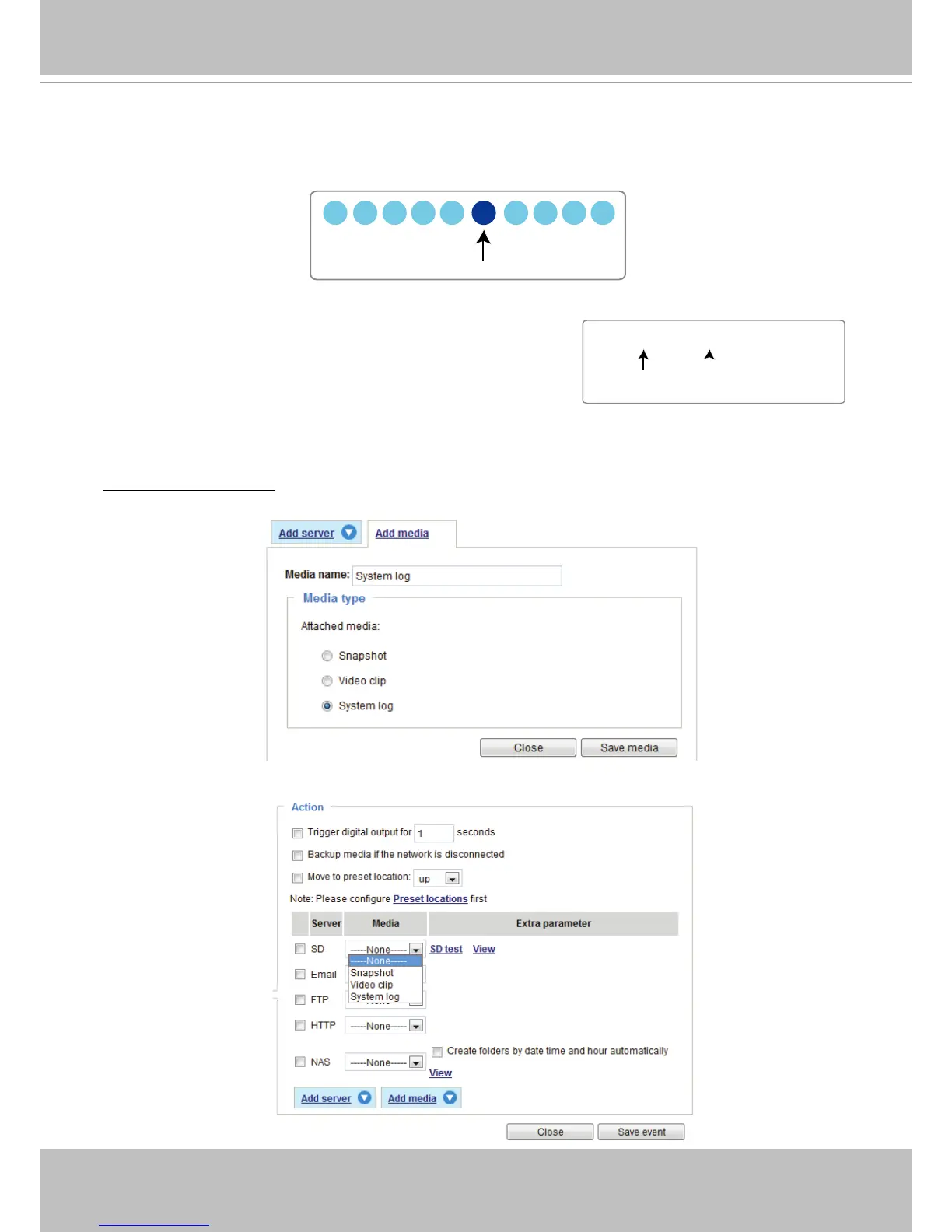
Media type - System log
Select to send a system log when a trigger is activated�
Click Save media to enable the settings, then click Close to exit the Add media page�
1 sec. 2 sec. 3 sec. 4 sec. 5 sec. 6 sec. 7 sec. 8 sec. 9 sec. 10 sec.
Trigger Activation
Video_20110320_100341
Date and time suffix
The format is: YYYYMMDD_HHMMSS
File name prefix



 To Next Page