VIVOTEK
196 - User's Manual
URL Command Document for All Series391
61
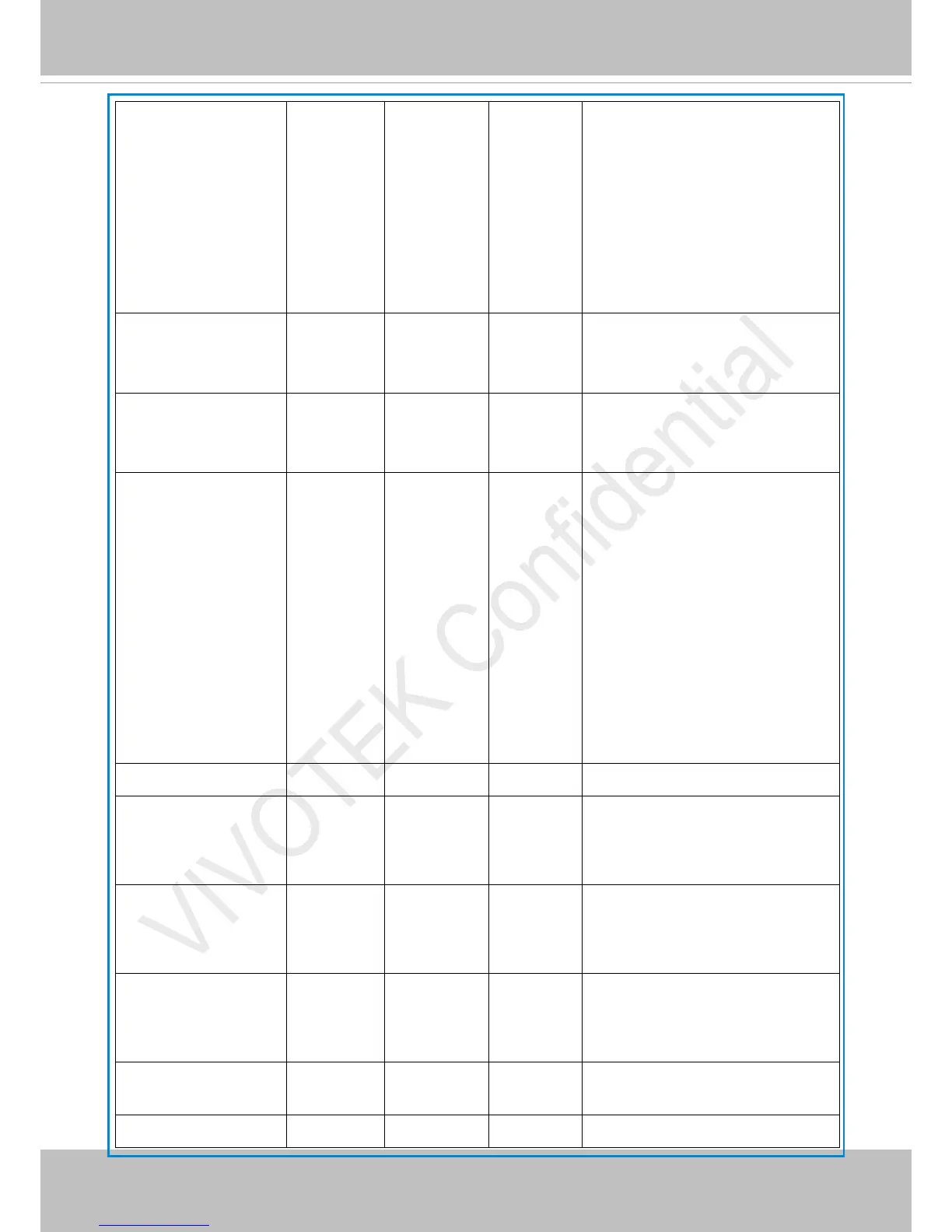
mdwin 0~31 0 6/6 Indicate the source window id of
motion detection.
This field is required when trigger
condition is “md”.
One bit represents one window.
The LSB indicates the 1
st
window.
For example, to detect the 1
st
and 3
rd
windows, set mdwin as 5.
mdwin0 0~31 0 6/6
effect when profile 1 of motion
detection is enabled.
inter 1~999 1 6/6 Interval of snapshots in minutes.
This field is used when trigger
condition is “seq”.
weekday 0~127 127 6/6 Indicate which weekday is scheduled.
One bit represents one weekday.
bit0 (LSB) = Saturday
bit1 = Friday
bit2 = Thursday
bit3 = Wednesday
bit4 = Tuesday
bit5 = Monday
bit6 = Sunday
For example, to detect events on
Friday and Sunday, set weekday as 66.
begintime hh:mm 00:00 6/6 Begin time of the weekly schedule.
endtime hh:mm 24:00 6/6 End time of the weekly schedule.
(00:00 ~ 24:00 sets schedule as always
on)
action_do_i<0~(ndo-1)
>_enable
0, 1 0 6/6 Enable or disable trigger digital
output.
action_do_i<0~(ndo-1)
>_duration
1~999 1 6/6 Duration of the digital output
trigger in seconds.
action_cf_enable 0. 1 0 6/6 Enable media write on CF or other
local storage media
action_cf_folder string[128] NULL 6/6 Path to store media.





 To Next Page