VIVOTEK - Built with Reliability
196 - User's Manual
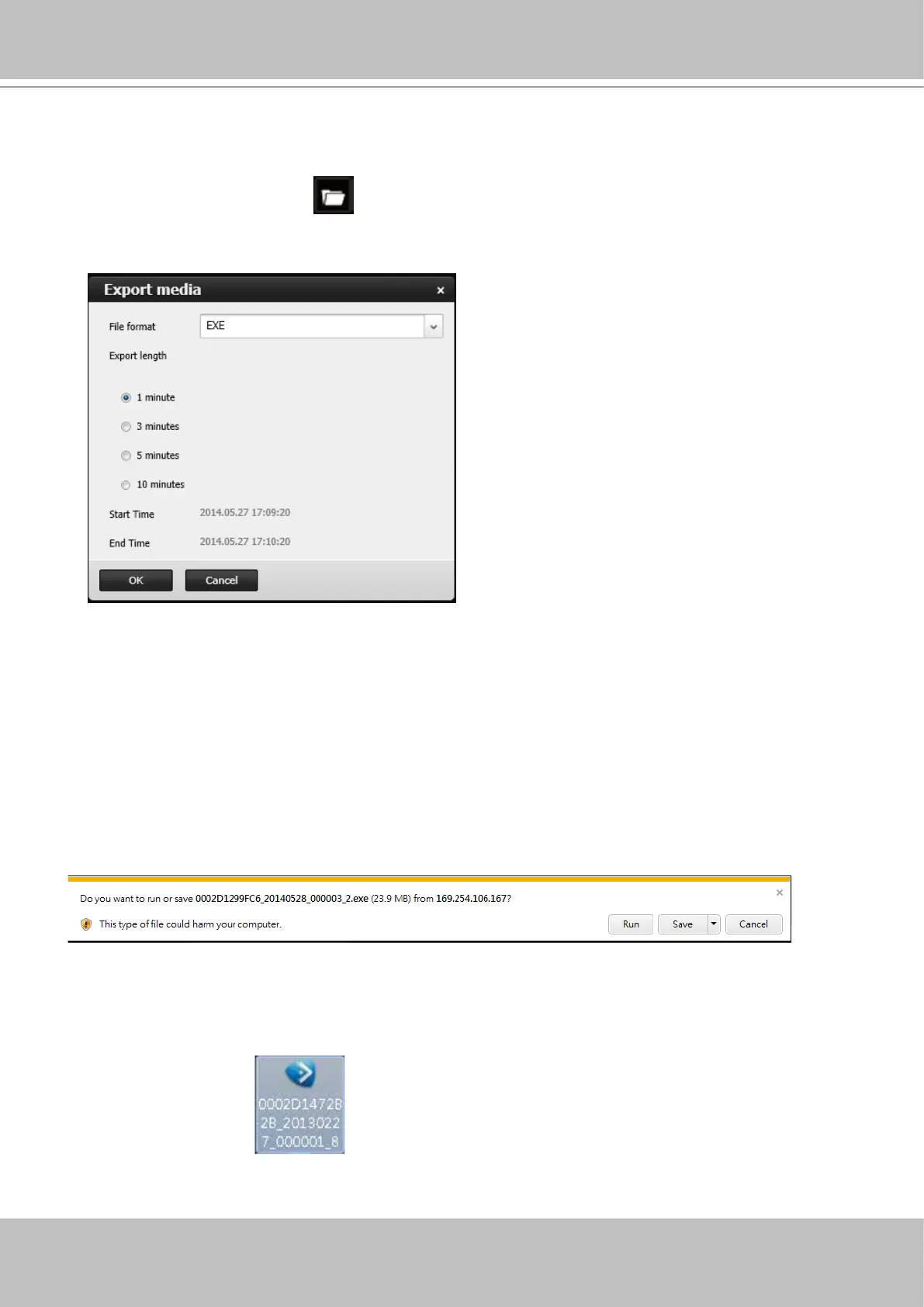
6-2-4. Export media
To export video clips,
1. Click on the Export media
button on the tool bar, while the Playback window is playing
a video section of your interest.
2. An Export media window will prompt.
3. Select the le format using the pull-down menu. An EXE le is an self-executable le playable
by an embedded Media Player. The 3GP format is a multimedia container format for 3G
UMTS services. These les can be played on QuickTime, RealPlayer, and VLC. The le
name will look like this: [MAC]_ [DATE]_[TIME]_ [CAMERA_INDEX].[3gp/exe].
4. Select an export length of video by 1, 3, 5, or 10 minutes. The actual length can be longer
due to the fact that the program needs to trace back to the previous I-frame for a complete
rendering of video frames into the media.
5. Click OK to proceed.
6. System will prompt you for the EXE le. Click Save to proceed.
7. The exported media le should be saved to the default download folder.
8. A self-executable EXE le should look like this.



 To Next Page