- 22 -
www.vivotek.com
T: 886-2-82455282
F: 886-2-82455532
Building a Security Application
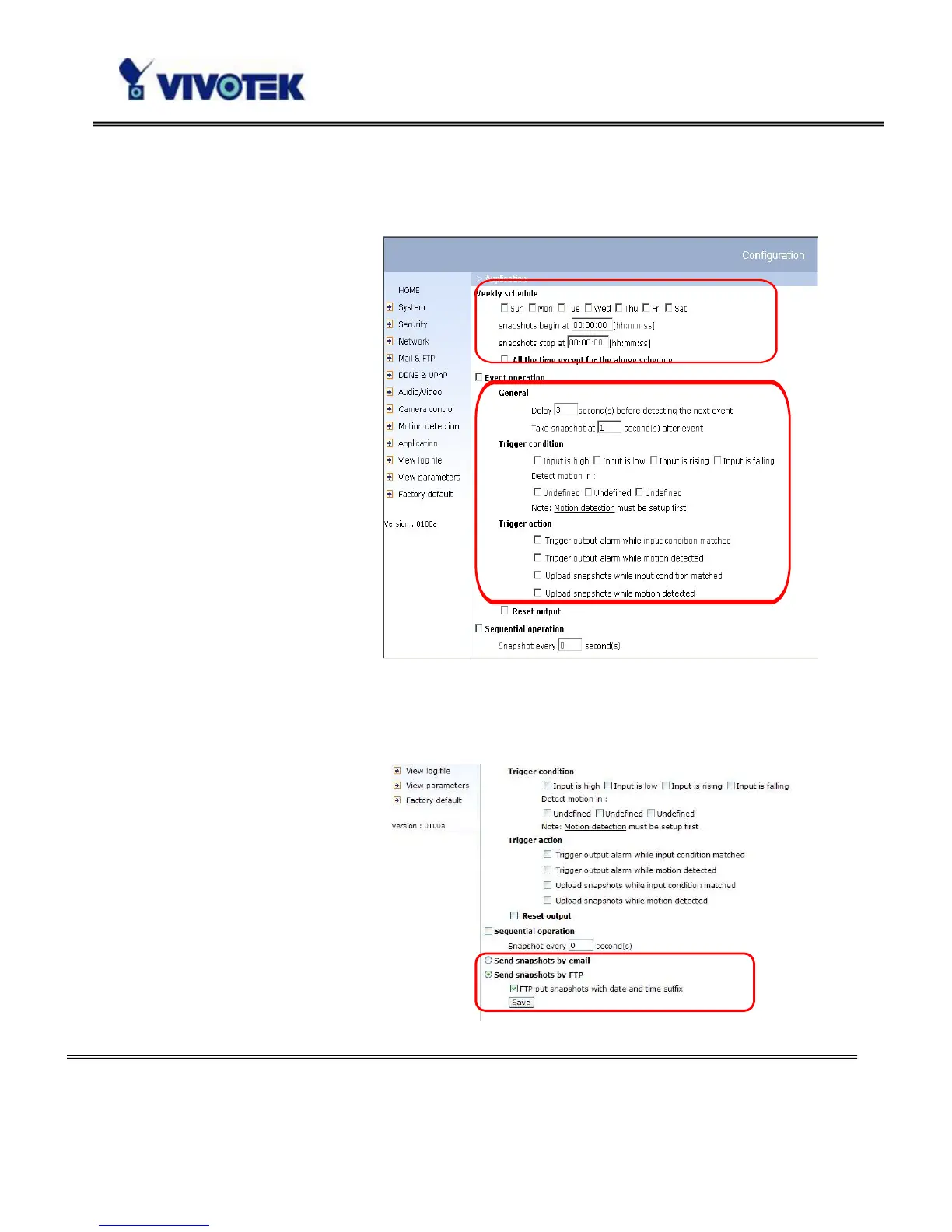
The Administrator can
combine options on the
application page to perform
many useful security
applications. There are two
trigger sources coming
from attached devices, such
as for motion detection.
There are also two kinds of
actions responding to such
events, including uploading
snapshots over the Internet
and driving other attached
devices. To upload the
snapshots, the User can
choose either email or FTP
according to user’s needs. Both e-mail and FTP use the network settings on the
network page. Refer to the definition section for detail configuration.
1. Click on “Configuration” on
homepage,
2. Click on “Application” in the
left column,
3. Check the weekdays as you
need and give the period of
"Snapshots begin" time and
"Snapshots end" time to
monitor the triggering
conditions every day,



 To Next Page