VIVOTEK
66 - User's Manual
Application
Advanced Mode
This section explains how to congure the Network Camera to react in response to particular
situations (event)� A typical application is that when a motion is detected, the Network Camera
sends buffered images to a FTP server or e-mail address as notications.
Customized Script
This function allows you to upload a sample script (.xml le) to the webpage, which will save your time on
conguring the settings. Please note that there is a limited number of customized scripts you can upload;
if the current amount of customized scripts has reached the limit, an alert message will pop up� If you
need more information, please ask for VIVOTEK’s technical support�
Click to upload
a le.
Click to modify the
script online
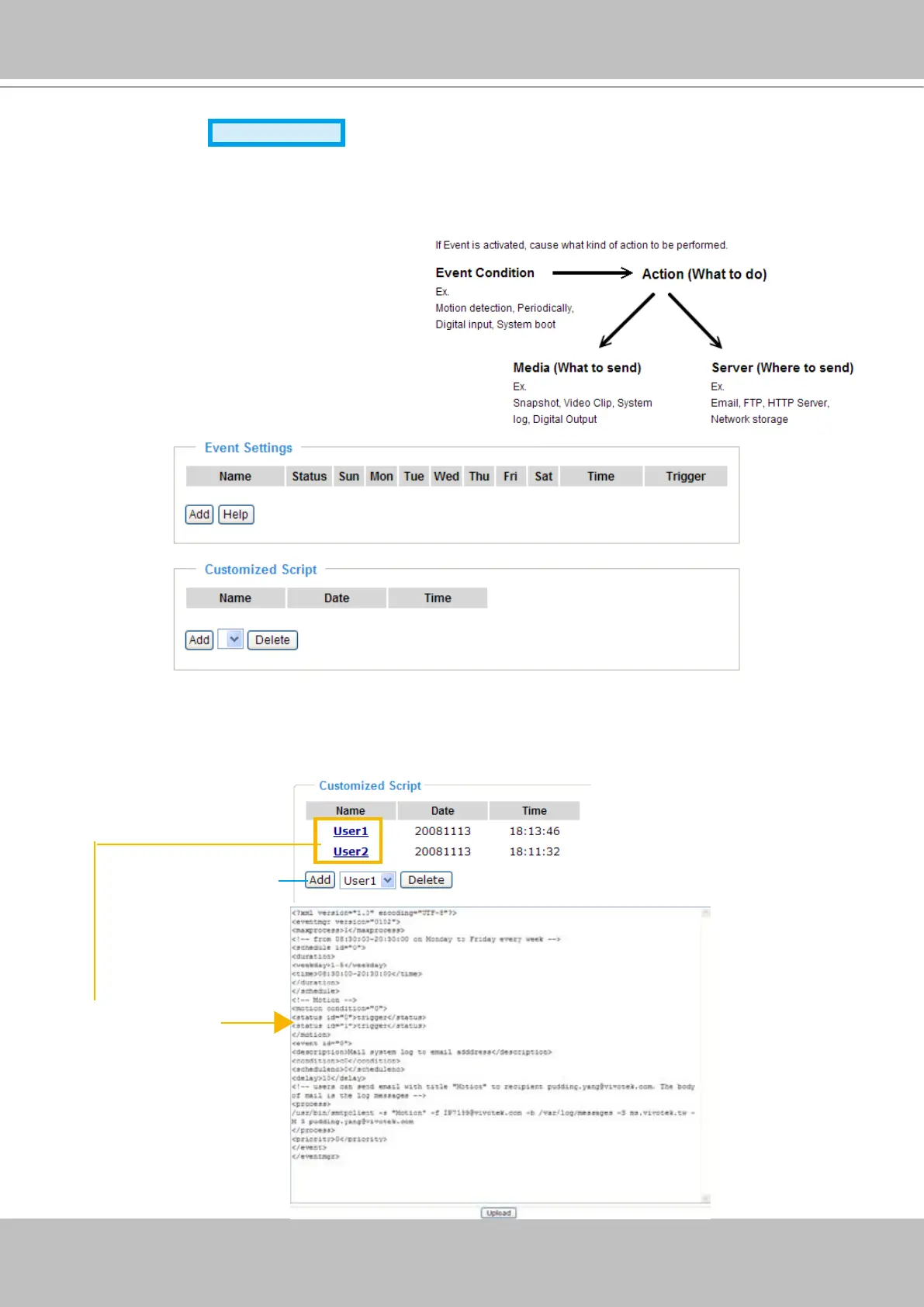
In the illustration on the right, an event can
be triggered by many sources, such as
motion detection or external digital input
devices� When an event is triggered, you
can specify what type of action that will be
performed. You can congure the Network
Camera to send snapshots or videos to
your email address or FTP site�



 To Next Page