VIVOTEK
18 - User's Manual
Main Page
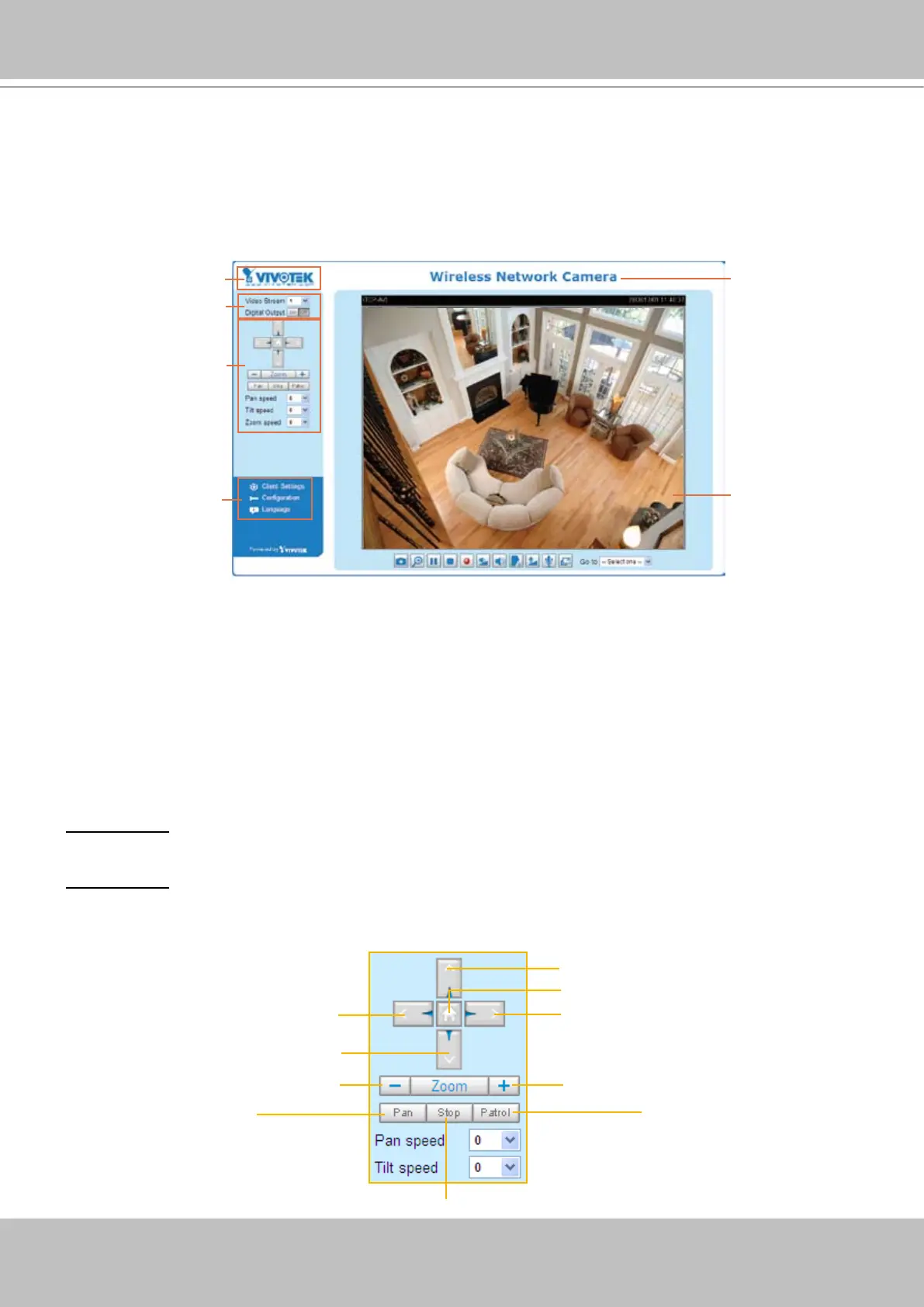
This chapter explains the layout of the main page� It is composed of the following sections:
VIVOTEK INC. Logo, Host Name, Camera Control Area, PTZ Control Panel, Conguration Area,
and Live video window�
VIVOTEK INC. Logo
Click this logo to visit the VIVOTEK website�
Host Name
The host name can be customized to t your needs.
For more information,
please refer to
System on page
25�
Camera Control Area
Video Stream: This Network Camera supports MJPEG or MPEG-4 dual streams simultaneously� You can
select either one for live viewing�
Digital Output: Click to turn the digital output device on or off�
PTZ Control Panel
Logo of VIVOTEK INC.
Live View Window
Camera Control Area
Configuration Area
Host Name
PTZ Control Area
Return to Home Position
Right
Left
Down
Up
Zoom In
Zoom Out
Start to Auto Patrol
Start to Auto Pan
Stop Auto Panning/patrolling



 To Next Page