VIVOTEK
User's Manual - 85
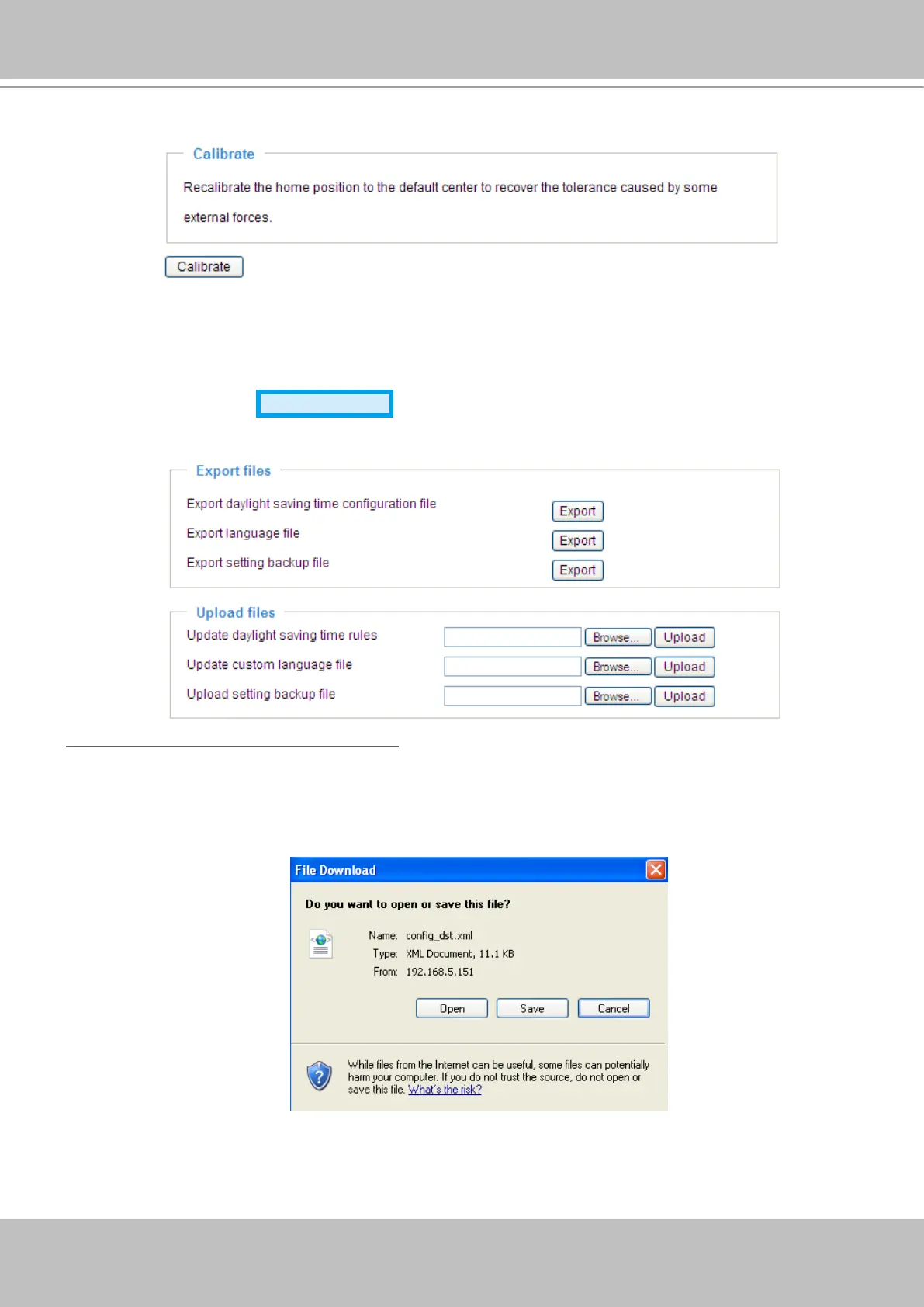
Calibrate
This feature re-calibrate the home position to the default center to recover the any displacement caused
by external forces. Please note that there is no conrm message box after clicking on Calibrate, and the
Network Camera will calibrate immediately�
Export / Upload Files
Advanced Mode
This feature allows you to Export / Upload daylight saving time rules, custom language les, and setting
backup les.
Export daylight saving time conguration le: Click to set the start and end time of DST�
Follow the steps below to export:
1. In the Export les column, click Export to export the daylight saving time conguration le from the
Network Camera�
2. A le download dialog will pop up as shown below. Click Open to review the XML le or click Save to
store the le for editing.
3. Open the le with Microsoft
®
Notepad and locate your time zone; set the start and end time of DST�
When completed, save the le.
In the example below, DST begins each year at 2:00 a�m� on the second Sunday in March and ends at
2:00 a.m. on the rst Sunday in November.



 To Next Page