VIVOTEK
User's Manual - 420
© 2020 VIVOTEK INC. All Right Reserved
254
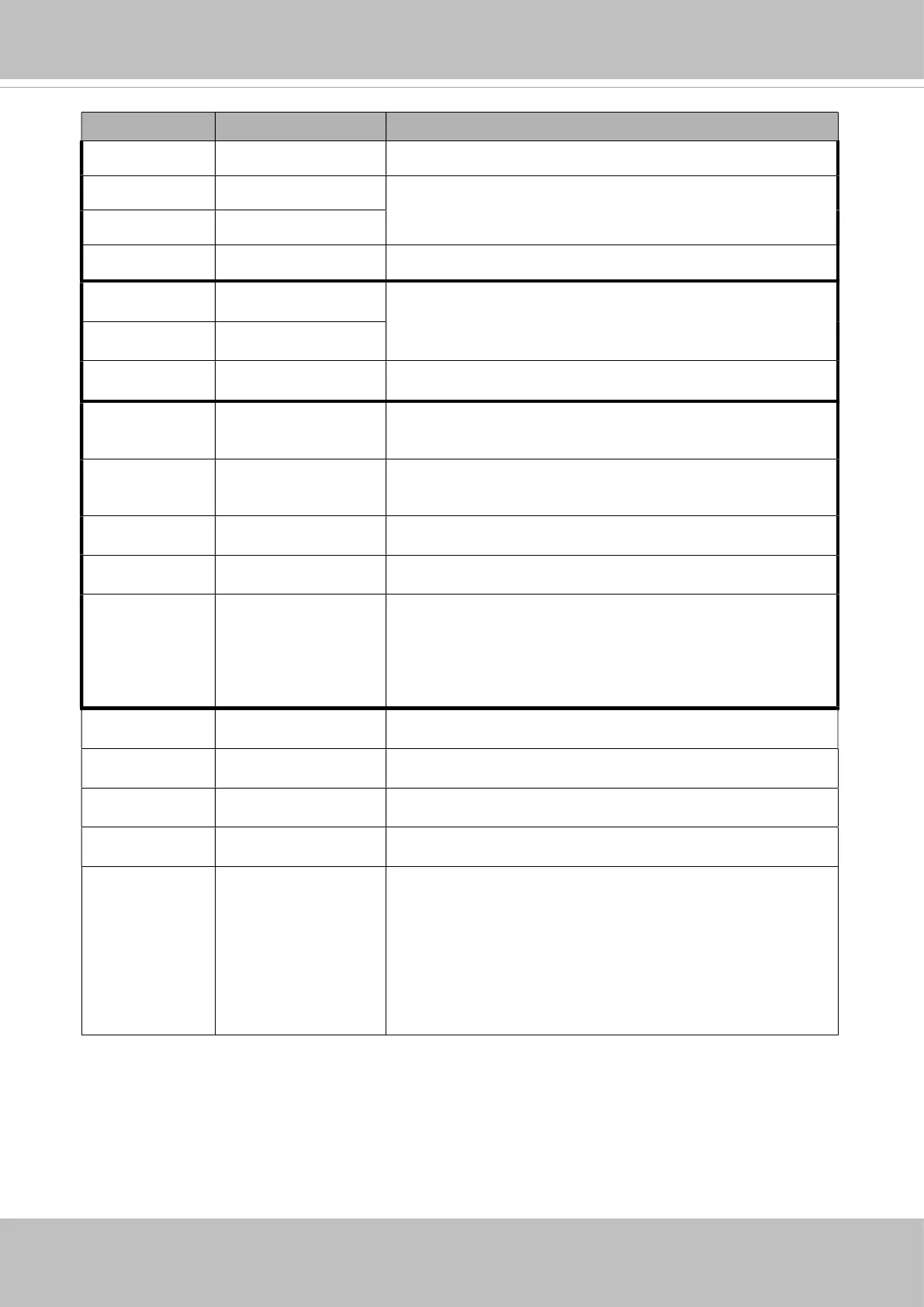
PARAMETER VALUE DESCRIPTION
y <integer> movement
w <integer> The scaled area size
h <integer>
resolution <window size> The resolution of streaming.
vx <integer> The direction of movement, used for joystick control.
vy <integer>
vs 0 ~ 7 Set the speed of movement, “0” means stop.
x <integer> x-coordinate clicked by user.
It will be the x-coordinate of center after movement.
y <integer> y-coordinate clicked by user.
It will be the y-coordinate of center after movement.
videosize <window size> The size of plug-in (ActiveX)window in web page
resolution <window size> The resolution of streaming.
stretch <boolean> 0 indicates that it usesresolution(streaming size) as the
range of the coordinate system.
1 indicates that it usesvideosize(plug-in size) as the range
of the coordinate system.
speedpan -5 ~ 5 Set the pan speed.
speedtilt -5 ~ 5 Set the tilt speed.
speedzoom -5 ~ 5 Set the zoom speed.
speedapp 1 ~ 5 Set the auto pan/patrol speed.
return <return page> Redirect to the page <return page> after the parameter is
assigned. The <return page> should be the relative path
according to the root of camera. If you omit this
parameter, it will redirect to an empty page.
* If the <return page> is invalid path, it will ignore this
parameter.



 To Next Page