VIVOTEK
10 - User's Manual
9
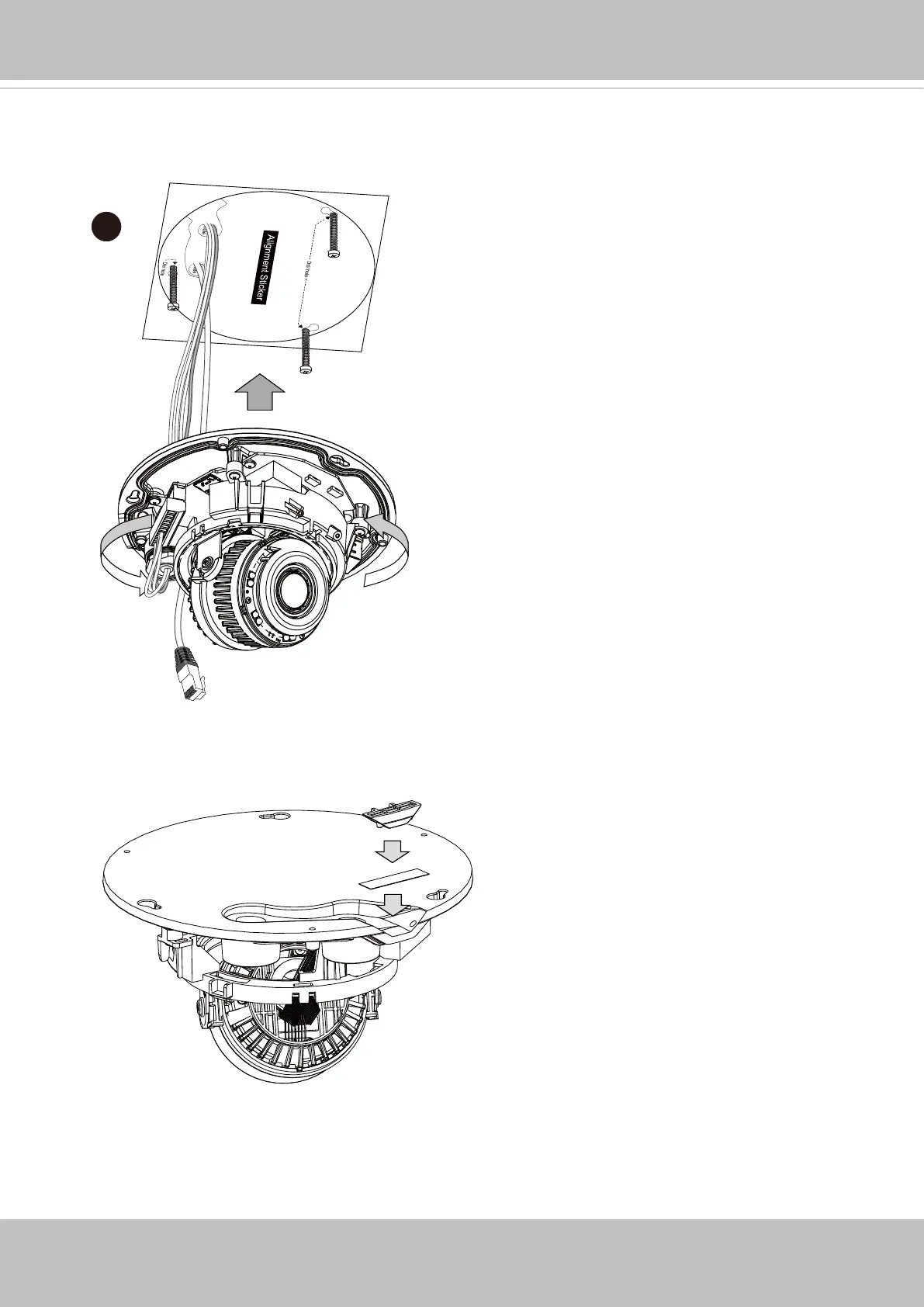
9. When fastening the screws, do not completely tighten the screws. Pass cables through
the routing holes, and then mount the camera by passing the screw heads through the
keyhole slots. Turn the camera counter-clock wise, and then fasten the screws.
10. If you do not need to route your cables through the side opening, you can use the
double-sided tape to attach a plastic stopper to the opening on the side of the camera.


 To Next Page