VIVOTEK
10 - User's Manual
Network Deployment
Setting up the Video Server over the Internet
This section explains how to congure the video server to an Internet connection.
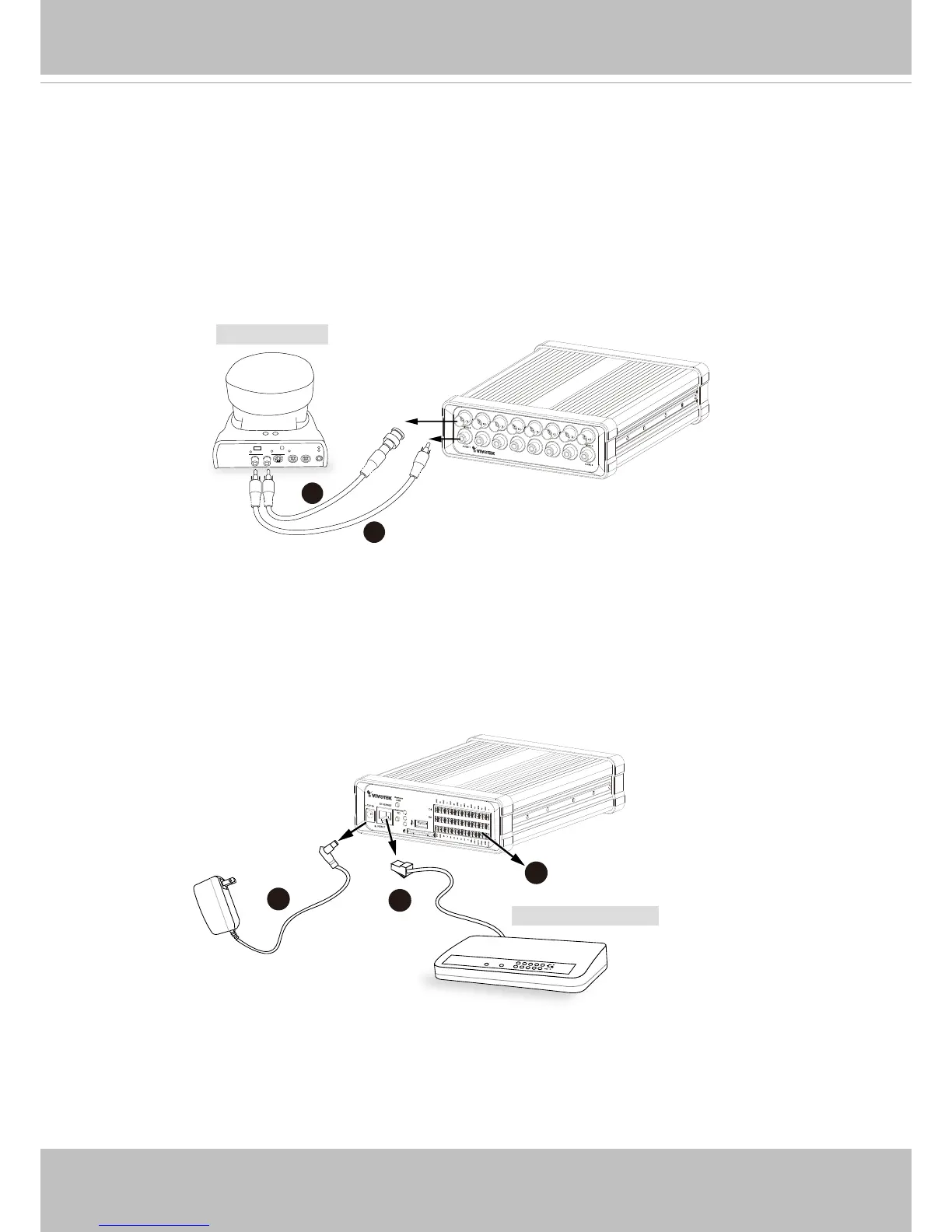
1. Make video connection from the camera to the BNC video input.
2. Make audio connection from the Line-Out audio source to the RCA audio input.
3. Connect the Video Server to a switch via Ethernet cable.
4. Connect the power cable from the Video Server to a power outlet.
5. If you have external devices such as sensors and alarms, connect them to the general I/O
terminal block. For detailed pin denition, please refer to the next page.
There are several ways to set up the video server over the Internet. The rst way is to set up
the video server behind a router. The second way is to utilize a static IP. The third way is to use
PPPoE.



 To Next Page