VIVOTEK
68 - User's Manual
Camera control
This section explains how to control the Network Camera’s Pan/Tilt/Zoom operation by
connecting to a PTZ driver or scanner via RS485 interface.
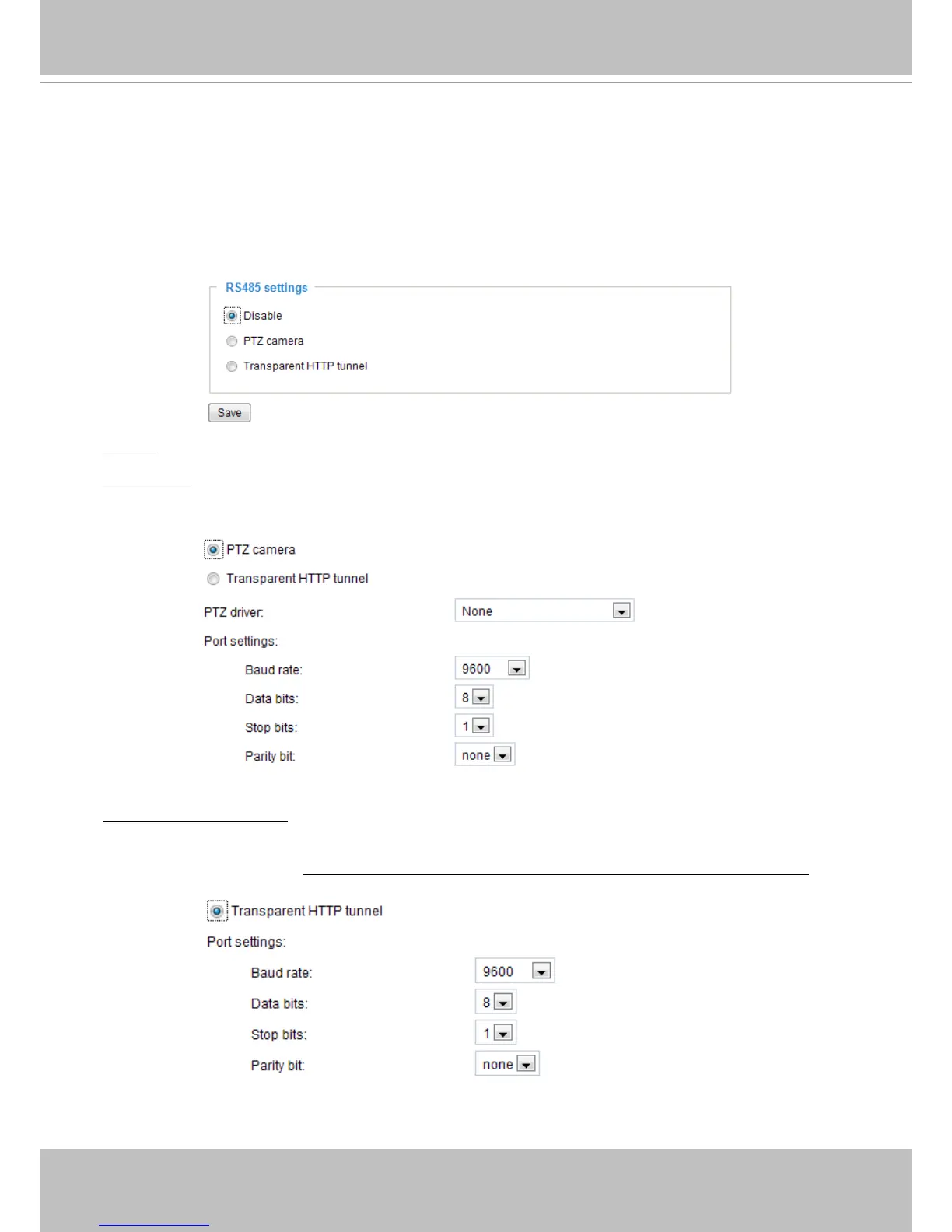
RS485 settings
Disable: Select this option to disable this function.
PTZ camera: Select this option to enable PTZ operation.
To utilize this feature, please connect the Network Camera to a PTZ driver or scanner via RS485
interface rst. Then you can congure the PTZ driver and RS485 port with the following settings.
Transparent HTTP Tunnel: If you want to use your own RS-485 device, you can use UART commands to
build a Transparent HTTP Tunnel. The UART commands will be sent through HTTP tunnel established
between the RS-485 device and the linked camera. For detailed application notes, please refer to URL
Commands on page 105 or http://www.vivotek.com/downloadles/support/faq/172_document_2.pdf.



 To Next Page