VIVOTEK
56 - User's Manual
Audio and video
This section explains how to cogure the audio and video settings of the video server.
Overview
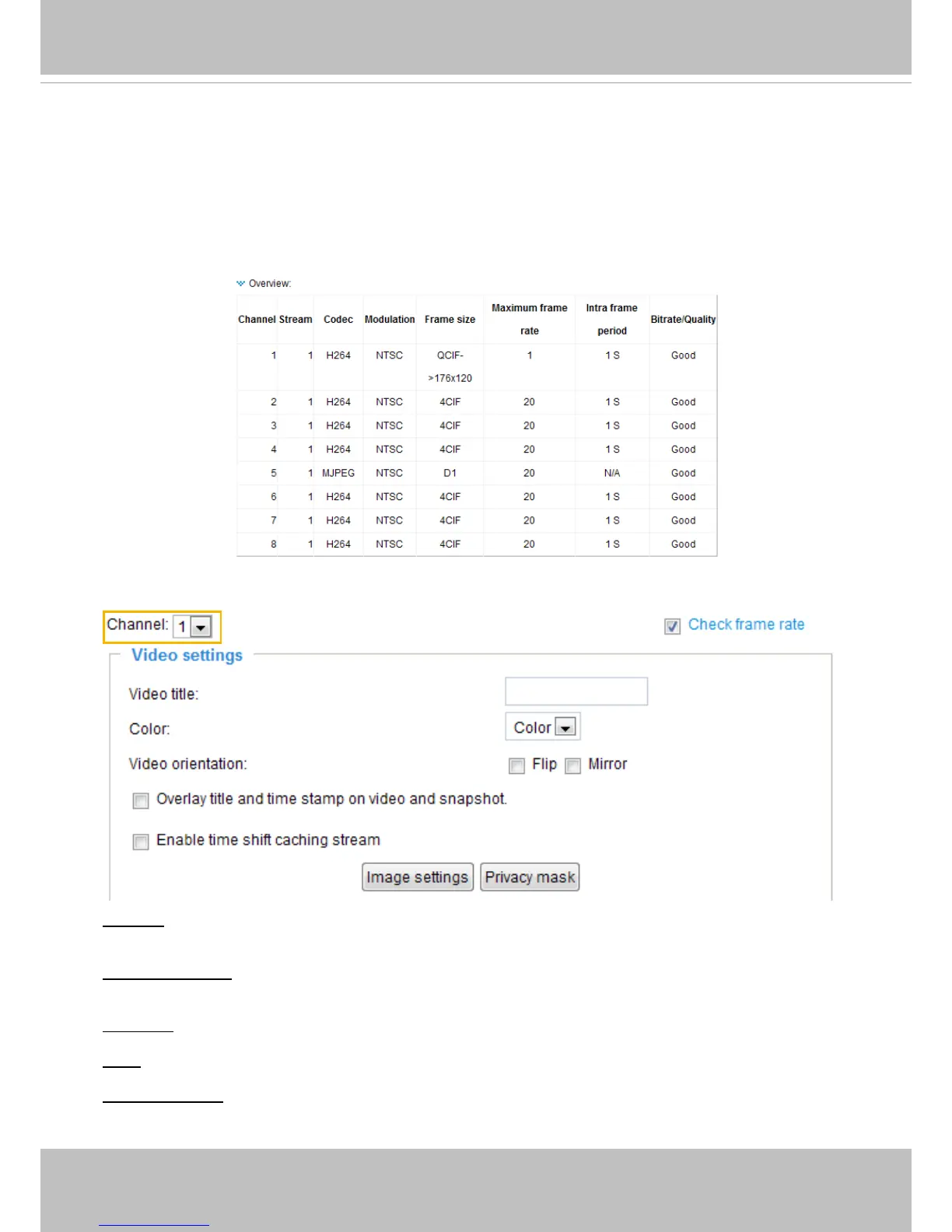
This table shows all stream settings of each channel.
Video settings
Channel: In the drop-down list, there are channel 1~4/8, select one to set video settings on it in the
column below.
Check frame rate: Check Check frame rate to display the current available frame rate status for all
frame sizes. Please refer to page 63 for details.
Video title: Enter a name that will be displayed on the title bar of the live video.
Color: Select to display color or black/white video streams.
Video orientation: Flip--vertically reect the display of the live video; Mirror--horizontally reect the display
of the live video. Select both options if the linked device is installed upside-down (e.g., on the ceiling) to
correct the image orientation.



 To Next Page