VIVOTEK
24 - User's Manual
Joystick settings
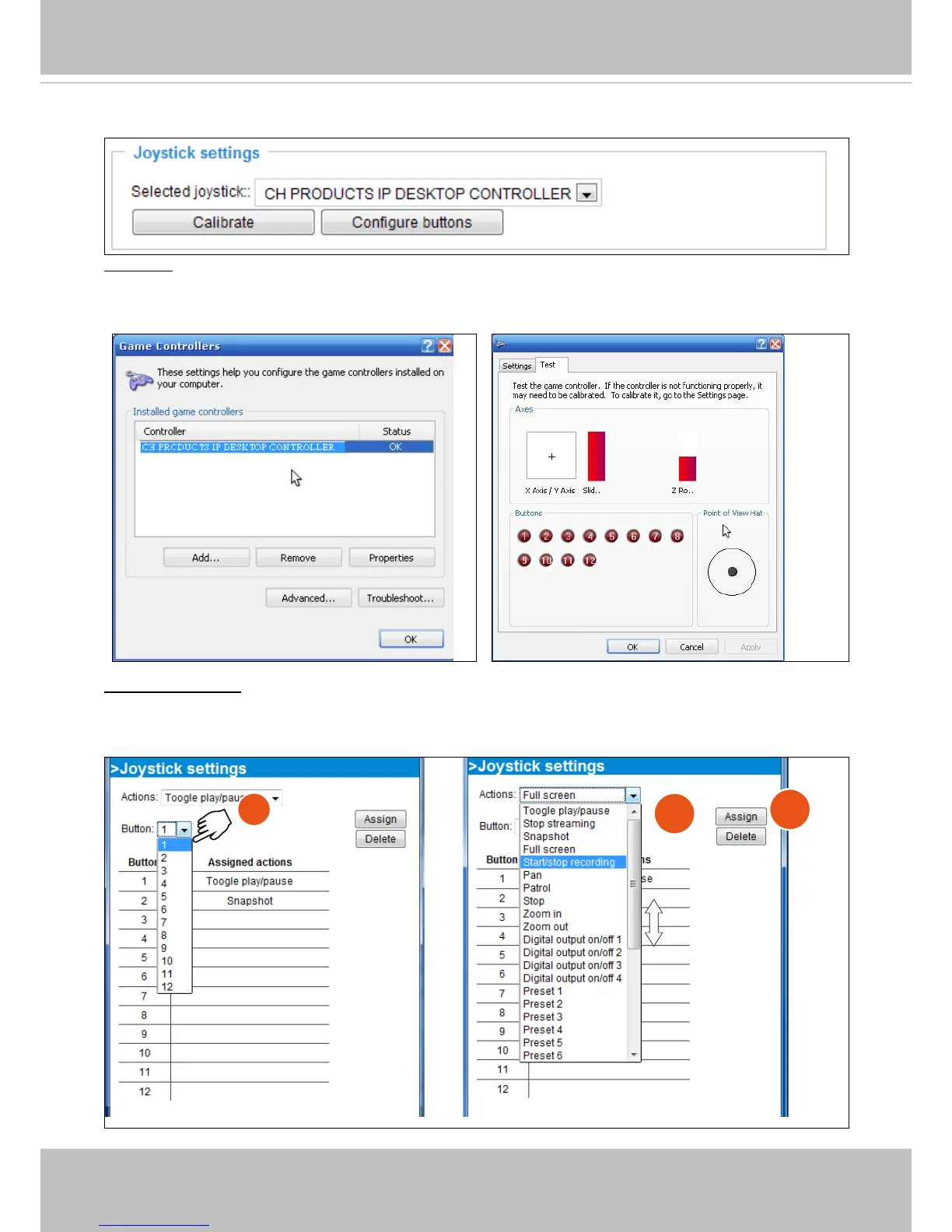
Calibrate: Make sure a joystick is already attached to your COM port or USB port on your client
computer. Click on the Calibrate button and the Windows Game Controller function will be started.
If properly connected, your operating system should have already detected the joystick. Follow the
onscreen instructions to calibrate your joystick.
Configure buttons: You can define individual joystick buttons using this function. Click to open a
configuration window and assign functions to joystick buttons using the following steps: 1. Select a
button uing the pull-down menu. 2. Select an Action to be toggled by the button. 3. Click on the Assign
button, and then repeat the process to dene other buttons.
1
2
3



 To Next Page