VIVOTEK
30 - User's Manual
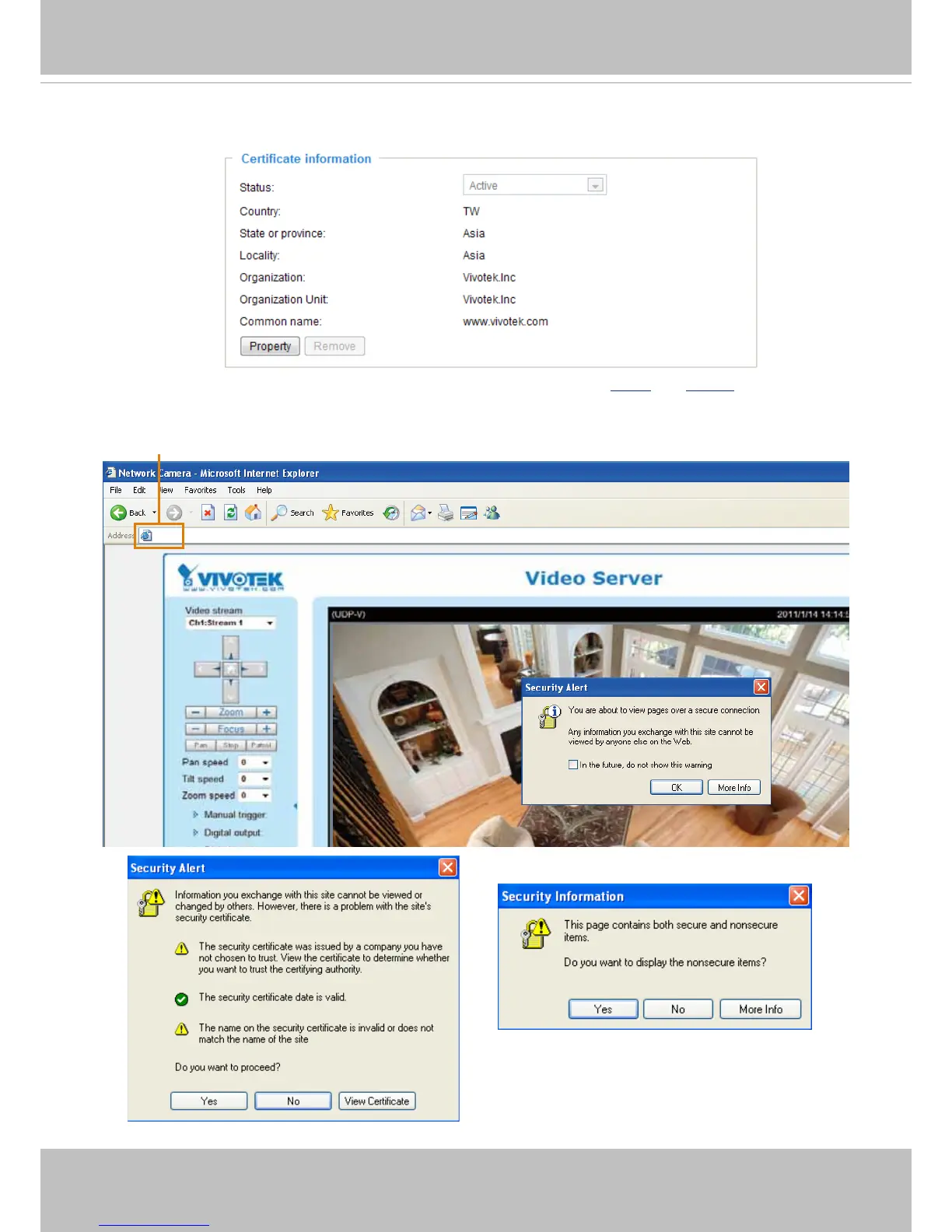
4. The Certicate Information will automatically de displayed in the third column as shown below. You can
click Property to view detailed information about the certicate.
5. Click Home to return to the main page. Change the address from “http://” to “https://“ in the address
bar and press Enter on your keyboard. Some Security Alert dialogs will pop up. Click OK or Yes to
enable HTTPS.
https://192.168.5.151/index.html



 To Next Page