VIVOTEK
94 - User's Manual
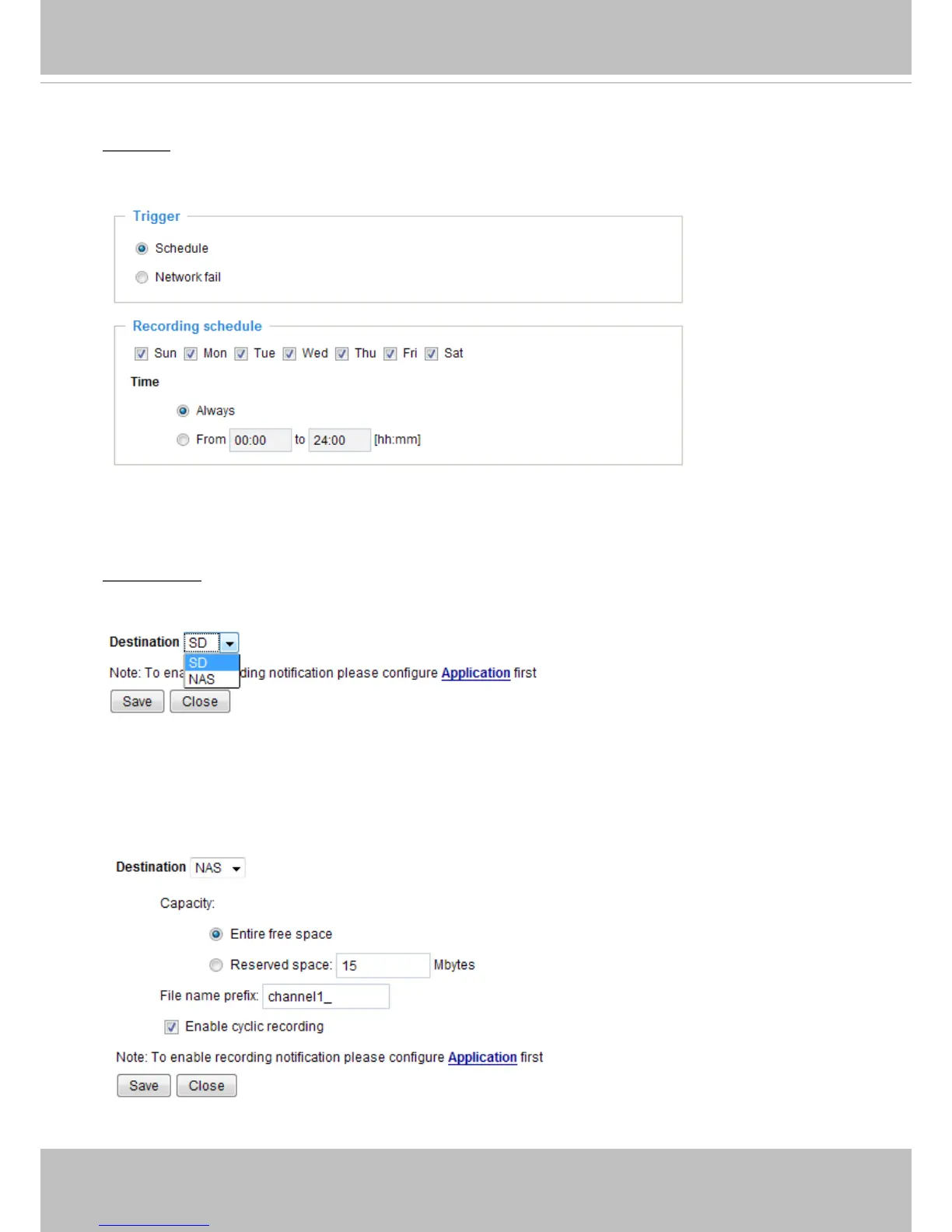
Please follow steps 1 to 2 below to set up a recording setting:
1. Trigger
Select a triggering condition: For example, event triggers might not make sense in a place full of human
trafc during the ofce hours. You may want to enable the triggering conditions during the night.
■ Schedule: The server to start recording les onto local storage or networked storage (NAS).
■ Network fail: Starts recording to the local storage (SD card) in the event of network failures.
2. Destination
You can either select an SD card or a networked storage (NAS) to store the recorded videos.
To add a NAS server, move to the Application > Event > and Add Event setting page. Please note that
only one NAS server can be congured as the recording destination.
If you have selected a NAS server as the recording destination, you should configure the following
options: Capacity, File name prex, and Cyclic recording.



 To Next Page