7 8
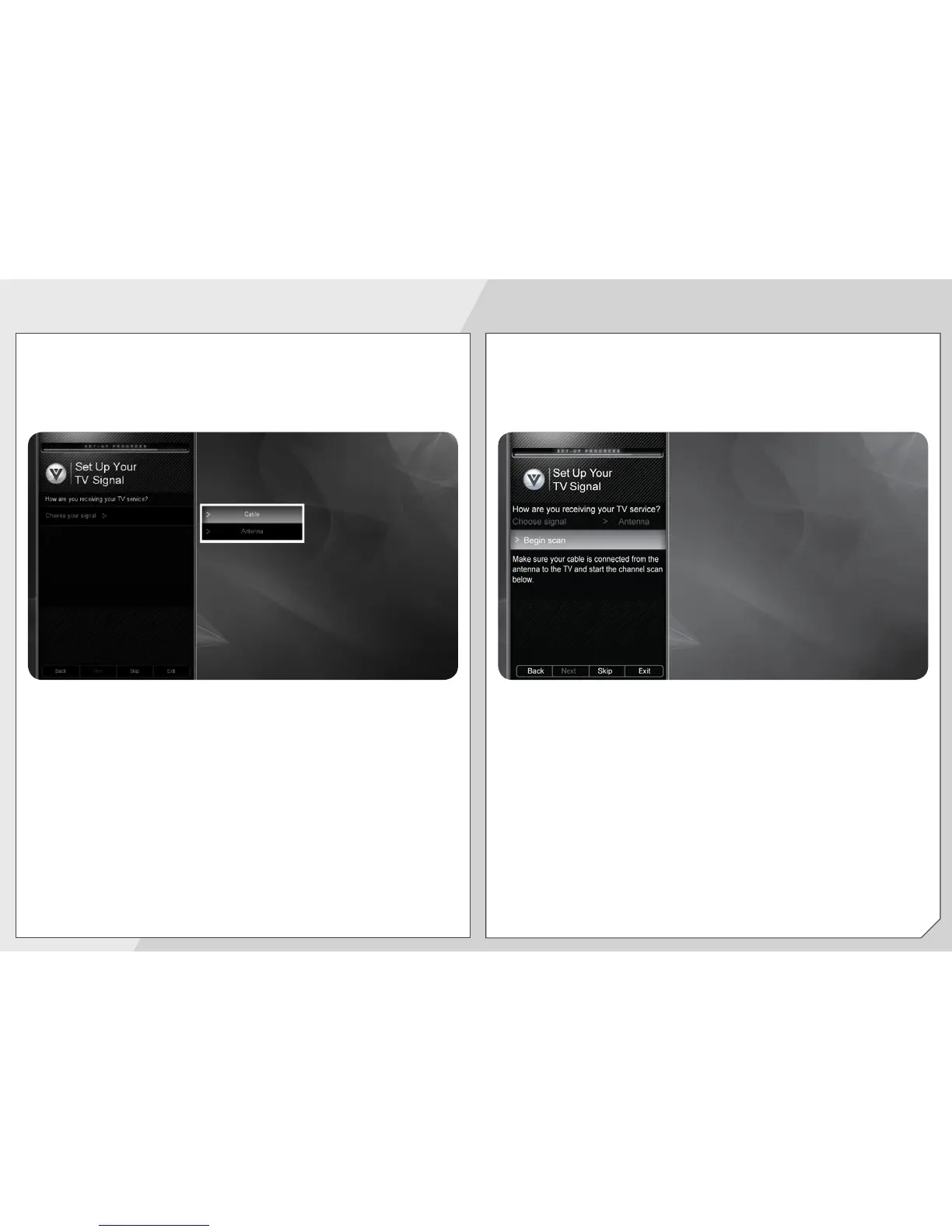
Answer the on-screen questions about your TV
connection using the Arrow and OK buttons on the
remote.
Highlight Begin scan and press OK.
When you have finished the channel scan, highlight
Exit to Live TV and press OK.
The First-Time Setup is complete.


 To Next Page