EasyManua.ls Logo

Vizio Razor E261VA - User Manual

Vizio Razor E261VA
16 pages
Print Icon
To Next Page IconTo Next Page
Loading...
MODELS E190VA
E220VA
E260VA
E261VA
QUICK START GUIDE
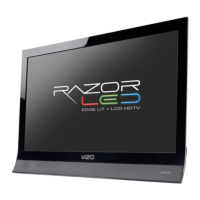
RAZOR LED
LCD HDTV
VIZIO
FOR FULL USER MANUAL
GO TO VIZIO.COM/SUPPORT
Question and Answer IconNeed help?

Do you have a question about the Vizio Razor E261VA and is the answer not in the manual?

Summary

Important Safety Information

General Safety Guidelines

Essential instructions for TV installation, use, and maintenance to prevent hazards and ensure safety.

Electrical Safety Precautions

Precautions regarding power cords, plugs, lightning, and preventing electric shock.

Using the Remote Control

Remote Control Buttons Explained

Details the function of each button on the VIZIO remote for TV operation and menu navigation.

First-Time Setup: Initial Steps

Connecting the TV Power

Instructs users to connect the power cord to the TV and plug it into a working electrical outlet.

First-Time Setup: Connections

Start Setup Wizard

Guides users to power on the TV and begin the on-screen setup wizard for initial configuration.

First-Time Setup: Configuration

First-Time Setup: Channel Tuning

Scan for Channels

Guides users to initiate a channel scan and exit the setup once complete.

Connecting External Devices

TV Rear Panel Ports Overview

Illustrates the input ports on the back of the TV, including HDMI, SPDIF, RGB PC, and Component connections.

Device Connection Options

Troubleshooting and Support

Resolving Common Issues

Provides solutions for problems like no power, no sound, picture issues, and 'No Signal' messages.

Limited Warranty Details

Warranty Coverage and Service

Outlines the one-year limited warranty, coverage for defects, and the process for obtaining service.

Warranty Limitations and Exclusions

Lists items not covered by the warranty, such as cosmetic damage, misuse, or unauthorized repairs.

Summary

Important Safety Information

General Safety Guidelines

Essential instructions for TV installation, use, and maintenance to prevent hazards and ensure safety.

Electrical Safety Precautions

Precautions regarding power cords, plugs, lightning, and preventing electric shock.

Using the Remote Control

Remote Control Buttons Explained

Details the function of each button on the VIZIO remote for TV operation and menu navigation.

First-Time Setup: Initial Steps

Connecting the TV Power

Instructs users to connect the power cord to the TV and plug it into a working electrical outlet.

First-Time Setup: Connections

Start Setup Wizard

Guides users to power on the TV and begin the on-screen setup wizard for initial configuration.

First-Time Setup: Configuration

First-Time Setup: Channel Tuning

Scan for Channels

Guides users to initiate a channel scan and exit the setup once complete.

Connecting External Devices

TV Rear Panel Ports Overview

Illustrates the input ports on the back of the TV, including HDMI, SPDIF, RGB PC, and Component connections.

Device Connection Options

Troubleshooting and Support

Resolving Common Issues

Provides solutions for problems like no power, no sound, picture issues, and 'No Signal' messages.

Limited Warranty Details

Warranty Coverage and Service

Outlines the one-year limited warranty, coverage for defects, and the process for obtaining service.

Warranty Limitations and Exclusions

Lists items not covered by the warranty, such as cosmetic damage, misuse, or unauthorized repairs.

Vizio Razor E261VA Specifications

General IconGeneral
Screen Size26 inches
Resolution1366 x 768
Display TypeLCD
Backlight TypeLED
HDMI Ports2
USB Ports1
Display TechnologyLCD
Refresh Rate60 Hz
Aspect Ratio16:9
Speakers2 x 5W
Power Consumption65 W
Audio OutputOptical, RCA
Brightness300 cd/m2
Viewing Angle178° (Horizontal & Vertical)
InputsHDMI, USB, Component, Composite

Related product manuals