VIZIO E422VA User Manual
14
www.VIZIO.com
Chapter 3 VIZIO Remote Control
Your new VIZIO HDTV comes with an IR remote that lets you interact with Internet content delivered to
your HDTV.
Installing the Batteries
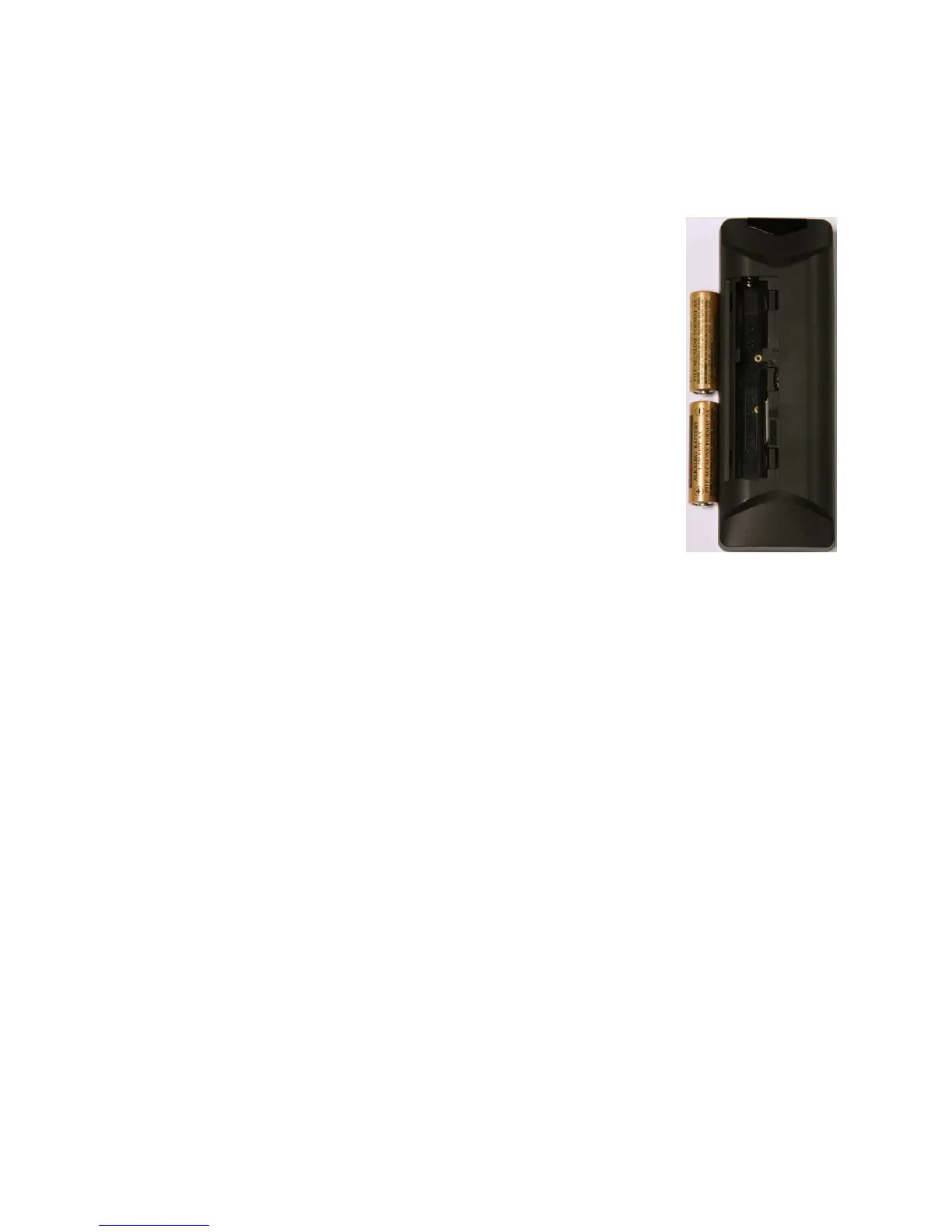
1. Remove the battery cover.
2. Insert two AA batteries into the remote control. Make sure that you match
the (+) and (-) symbols on the batteries with the (+) and (-) symbols inside
the battery compartment
3. Replace the battery cover.
Precautionary Tips for Inserting the Batteries:
• Only use quality AA batteries.
• Do not mix new and old batteries. This may result in cracking or leakage
that may cause a fire or lead to personal injury.
• Inserting the batteries incorrectly may also result in cracking or leakage
that may cause a fire or lead to personal injury.
• Dispose of batteries according to local hazardous waste regulations.
• Keep the batteries away from children and pets.
• Batteries should not be exposed to excessive heat such as sunshine, fire
or the like.


 To Next Page