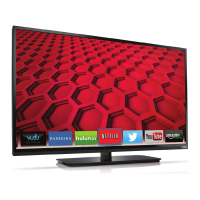
VIZIO E422VA User Manual
6
www.VIZIO.com
Table of Contents
Important Safety Instructions ..................................................................................................................... 2
Television Antenna Connection Protection ............................................................................................... 4
FCC Bulletin for New TV Owners .............................................................................................................. 5
CHAPTER 1 SETTING UP YOUR HDTV ..................................................................................... 9
Finding a Location for Your HDTV ............................................................................................................ 9
Attaching the TV Stand............................................................................................................................ 10
Wall Mounting Your HDTV ...................................................................................................................... 11
CHAPTER 2 BASIC CONTROLS AND CONNECTIONS .......................................................... 12
Front Panel .............................................................................................................................................. 12
Side Panel Controls ................................................................................................................................. 12
Rear and Side Panel Connections .......................................................................................................... 13
CHAPTER 3 VIZIO REMOTE CONTROL .................................................................................. 14
Installing the Batteries ............................................................................................................................. 14
Remote Control Buttons .......................................................................................................................... 15
Basic TV Functions .............................................................................................................................. 15
AV and Multimedia Functions Keys ..................................................................................................... 16
VIA Functions ....................................................................................................................................... 16
Remote Control Range ............................................................................................................................ 17
VIZIO Remote Control Precautions ......................................................................................................... 17
CHAPTER 4 GETTING STARTED ............................................................................................. 18
USING YOUR HDTV FOR THE FIRST TIME ............................................................................. 19
Connecting to the Internet ....................................................................................................................... 19
Select Input Source ................................................................................................................................. 19
Watching a TV Program .......................................................................................................................... 19
Exploring VIZIO Internet Apps (VIA) ....................................................................................................... 21
CHAPTER 5 CONNECTING EQUIPMENT ................................................................................ 22
Which Video Connection Should I Use? ................................................................................................. 22
Connecting Your Cable or Satellite Box .................................................................................................. 23
Using HDMI (Best) ............................................................................................................................... 23
HDMI Connections for Cable or Satellite Boxes with DVI ................................................................... 23
Using Composite Video (Good) ........................................................................................................... 24
Using Coaxial (Antenna) (Good) .......................................................................................................... 24
Connecting Your DVD Player .................................................................................................................. 25
Using HDMI (Best) ............................................................................................................................... 25
HDMI Connections for DVD Players with DVI ..................................................................................... 25
Using Composite (AV) Video (Good) ................................................................................................... 26
Connecting Coaxial (RF) ......................................................................................................................... 27
Using Your Antenna or Digital Cable for Standard or Digital TV ......................................................... 27
Connecting Your VCR or Video Camera ................................................................................................. 27
Connecting a Home Theater System ...................................................................................................... 28
Using Analog 1/8” Stereo Jack Adapter .................................................................................................. 28
Connecting the cables ......................................................................................................................... 28
Turning TV speakers off....................................................................................................................... 28
Using Optical (S/PDIF) ............................................................................................................................ 28
Connecting a Computer........................................................................................................................... 29
RGB (VGA) .......................................................................................................................................... 29
Using HDMI .......................................................................................................................................... 29
Ethernet Connection ................................................................................................................................ 30


 To Next Page