EasyManua.ls Logo

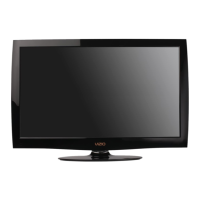
Vizio L37 - User Manual

Vizio L37
81 pages
Print Icon
To Next Page IconTo Next Page
Loading...
L37 HDTV
www.vizioce.com
LIQUID CRYSTAL HDTV

Table of Contents

Other manuals for Vizio L37

Questions and Answers

  • W
    Whitney TranAug 19, 2025
    What to do if you cannot see a picture on Vizio LCD TV?
    • M
      michael63Aug 19, 2025
      If your Vizio LCD TV isn't displaying any picture, ensure the power cord is connected to a grounded outlet and the power button is on. Verify that the selected input source is connected to a working device. If connected to a computer via RGB or HDMI, press any key to wake the computer.
  • S
    stevearroyoAug 21, 2025
    What to do if Vizio L37 LCD TV power is on, but no screen image?
    • E
      Evan GibbsAug 21, 2025
      If your Vizio LCD TV power is ON, but there is no screen image, ensure the video cable is tightly secured to both the video output port on your computer and the LCD display. Adjust the brightness and contrast settings. If using an older Macintosh, you might need an adapter. Also, check the Source settings.
  • A
    Andrew WilliamsAug 25, 2025
    How to fix the display image that does not cover the entire screen on Vizio L37 LCD TV?
    • M
      Melinda MartinAug 25, 2025
      If the display image on your Vizio LCD TV doesn't cover the entire screen, and you're using Rgb mode, ensure that H Size and V Position in the OSD are set correctly. If you're using TV, AV1, AV2, or component (Analog HD) with 480i input, use the WIDe button on the remote to adjust screen modes.
  • J
    Jason SmithAug 26, 2025
    Why do I see a distorted picture or hear unusual sound on my Vizio L37?
    • J
      Jamie FordAug 26, 2025
      If your Vizio LCD TV displays a distorted picture or unusual sound, it might be due to interference from electrical appliances, cars, motorcycles, or fluorescent lights. Try relocating your TV to a different area to resolve this issue.
  • F
    Felicia BradyAug 28, 2025
    What to do if you can see a picture but you cannot hear sound on Vizio L37?
    • J
      James ReidAug 28, 2025
      If your Vizio LCD TV has no sound, first ensure the volume isn't muted or turned down. Also, check that your audio input source cables are correctly and securely connected.
  • J
    Jennifer PhamAug 30, 2025
    How to fix Vizio L37 when there is not any power?
    • S
      Sarah HillAug 30, 2025
      If your Vizio LCD TV has no power, ensure both the AC and DC power buttons are ON (look for a green LED). Verify the AC power cord is securely connected to the AC socket. Test the outlet with another device to confirm it's providing power.
  • C
    Cory MannSep 1, 2025
    How to troubleshoot no sound on Vizio L37 LCD TV?
    • M
      Maurice JimenezSep 1, 2025
      If your Vizio LCD TV has no sound, check your audio connections and ensure the mute function is off. Verify your TV audio settings aren't set to SAP or minimum. Increase the volume using the Volume + button on the remote. Ensure headphones are disconnected and your speakers are turned on.
  • R
    Robert JamesSep 3, 2025
    What to do if the screen is blue on Vizio L37 LCD TV?
    • N
      Nicholas CarrollSep 3, 2025
      If the screen of your Vizio LCD TV is blue, check your input connections.
  • S
    sarah09Sep 5, 2025
    Why does my Vizio L37 LCD TV have wrong or abnormal colors?
    • L
      Lisa RaySep 5, 2025
      If you see wrong or abnormal colors on your Vizio LCD TV, check the video cable to ensure it is securely connected. Loose or broken pins in the cable connector could cause a bad connection. Try connecting the LCD display to another computer.
  • E
    Elizabeth GilbertSep 7, 2025
    Why does the picture on my Vizio L37 LCD TV have abnormal patterns?
    • S
      sabrinamartinezSep 7, 2025
      If the picture on your Vizio LCD TV has abnormal patterns, ensure the input source cable is securely and correctly attached to the back of the TV. Verify that the video input source is within the range of your LCD TV specifications.

Summary

Safety Precautions

General Safety Instructions

Read and follow safety instructions for product installation, use, and maintenance to prevent hazards.

Basic Controls and Connections

Front Panel Controls

Description of buttons and indicators on the front panel of the VIZIO LCD TV.

Rear Panel Connections

Explanation of various input and output ports located on the rear of the VIZIO LCD TV.

VIZIO Universal Remote Control

Overview of the VIZIO universal remote, its buttons, and basic functions.

Connecting Equipment

Video Connection Guide

Guidance on selecting the best video connection type (HDMI, Component, etc.) for optimal display.

Connecting Your DVD Player

Steps for connecting a DVD player using various interfaces like HDMI, Component, S-Video, and Composite.

Setting Up to Watch TV and DTV

DTV Tuner Setup

Configuring the Digital TV tuner for auto scan, manual scan, and channel skipping.

Parental Controls

Setting up parental controls and blocking channels based on TV and movie ratings.

Using Parental Controls

Detailed steps for enabling parental lock, setting TV/movie ratings, and blocking content.

Maintenance and Troubleshooting

Troubleshooting Guide

Solutions for common problems like no power, no sound, picture issues, and remote control malfunctions.

Telephone & Technical Support

Contact information and procedures for obtaining VIZIO customer support and warranty service.

Vizio L37 Specifications

General IconGeneral
Screen Size37 inches
Display TechnologyLCD
Resolution1366 x 768
Aspect Ratio16:9
Response Time8 ms
Brightness500 cd/m2
InputsHDMI, Component, Composite, VGA, RF
Speakers2 x 10W
Viewing Angle178° (horizontal), 178° (vertical)

Related product manuals