EasyManua.ls Logo

Vizio L37 - User Manual

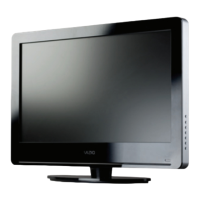
Vizio L37
81 pages
Print Icon
To Next Page IconTo Next Page
Loading...
L37 HDTV
www.vizioce.com
LIQUID CRYSTAL HDTV

Table of Contents

Other manuals for Vizio L37

Questions and Answers

  • E
    Edwin McclainSep 10, 2025
    Why do I see “noise” or “trash” on the screen of my Vizio LCD TV?
    • M
      Mr. Ryan BrownSep 10, 2025
      When your Vizio LCD TV's digital capabilities exceed a digital broadcast signal, the signal is up-converted, which can cause noise or trash on the screen.
  • S
    Stephanie ClarkSep 12, 2025
    Why does the volume change when I switch inputs on my Vizio L37?
    • J
      Jeffery Stokes MDSep 12, 2025
      The Vizio LCD TV remembers the volume level from the last time you used a particular input (AV1, AV2, Analog HD, Digital HD, and TV).
  • A
    Andrew SchmidtSep 14, 2025
    Why does the screen size change when I switch inputs on my Vizio LCD TV?
    • G
      Gregory BradleySep 14, 2025
      The Vizio LCD TV remembers the viewing mode from the last time you used a particular input (AV1, AV2, Analog HD, Digital HD, and TV).
  • D
    David MossSep 16, 2025
    Why does my Vizio LCD TV have pixels that are always bright, dark, or colored?
    • D
      David LaneSep 16, 2025
      Your Vizio LCD TV is manufactured using high-precision technology. Pixel defects within industry specifications are inherent and do not mean the product is defective.

Summary

Safety Precautions

General Safety Instructions

Read and follow safety instructions for product installation, use, and maintenance to prevent hazards.

Basic Controls and Connections

Front Panel Controls

Description of buttons and indicators on the front panel of the VIZIO LCD TV.

Rear Panel Connections

Explanation of various input and output ports located on the rear of the VIZIO LCD TV.

VIZIO Universal Remote Control

Overview of the VIZIO universal remote, its buttons, and basic functions.

Connecting Equipment

Video Connection Guide

Guidance on selecting the best video connection type (HDMI, Component, etc.) for optimal display.

Connecting Your DVD Player

Steps for connecting a DVD player using various interfaces like HDMI, Component, S-Video, and Composite.

Setting Up to Watch TV and DTV

DTV Tuner Setup

Configuring the Digital TV tuner for auto scan, manual scan, and channel skipping.

Parental Controls

Setting up parental controls and blocking channels based on TV and movie ratings.

Using Parental Controls

Detailed steps for enabling parental lock, setting TV/movie ratings, and blocking content.

Maintenance and Troubleshooting

Troubleshooting Guide

Solutions for common problems like no power, no sound, picture issues, and remote control malfunctions.

Telephone & Technical Support

Contact information and procedures for obtaining VIZIO customer support and warranty service.

Vizio L37 Specifications

General IconGeneral
Screen Size37 inches
Display TechnologyLCD
Resolution1366 x 768
Aspect Ratio16:9
Response Time8 ms
Brightness500 cd/m2
InputsHDMI, Component, Composite, VGA, RF
Speakers2 x 10W
Viewing Angle178° (horizontal), 178° (vertical)

Related product manuals