www.VIZIOCE.com
Version- 10/5/05
39
VIZIO L37 HDTV User Manual
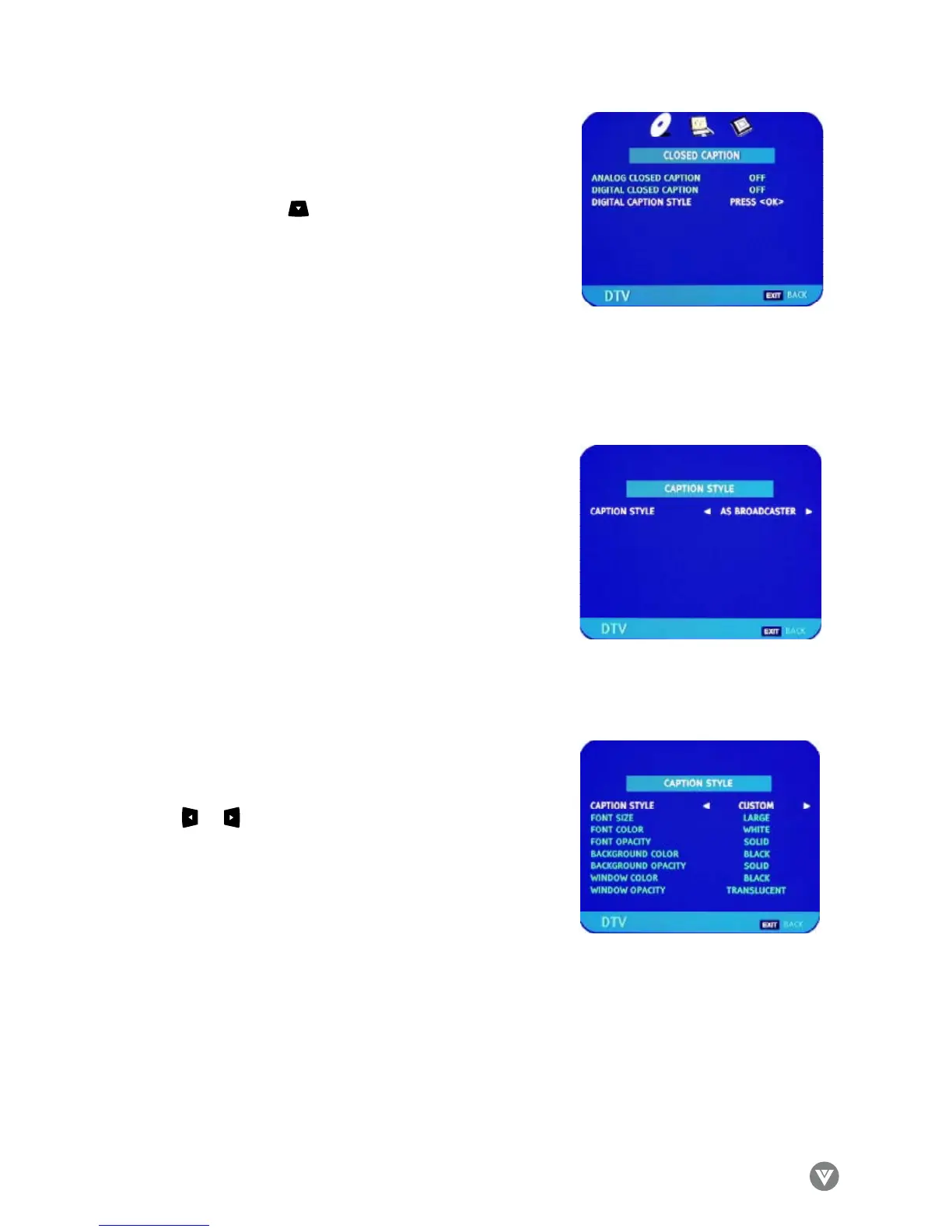
If you did not EXIT from the CLOSED CAPTION page,
press the DOWN arrow to highlight DIGITAL CAPTION
STYLE. Press OK.
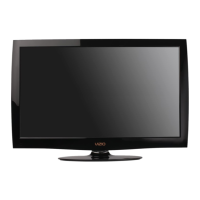
The default style, AS BROADCASTER, is shown as selected.
This means that the style of the closed caption is as received
from the TV channel.
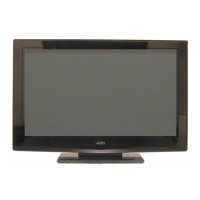
Use the or arrow button to select CUSTOM. The
Custom page allows you change the font size and color, the
background color, and the transparency of the closed caption.
Press EXIT to navigate away from this screen when finished.


 To Next Page