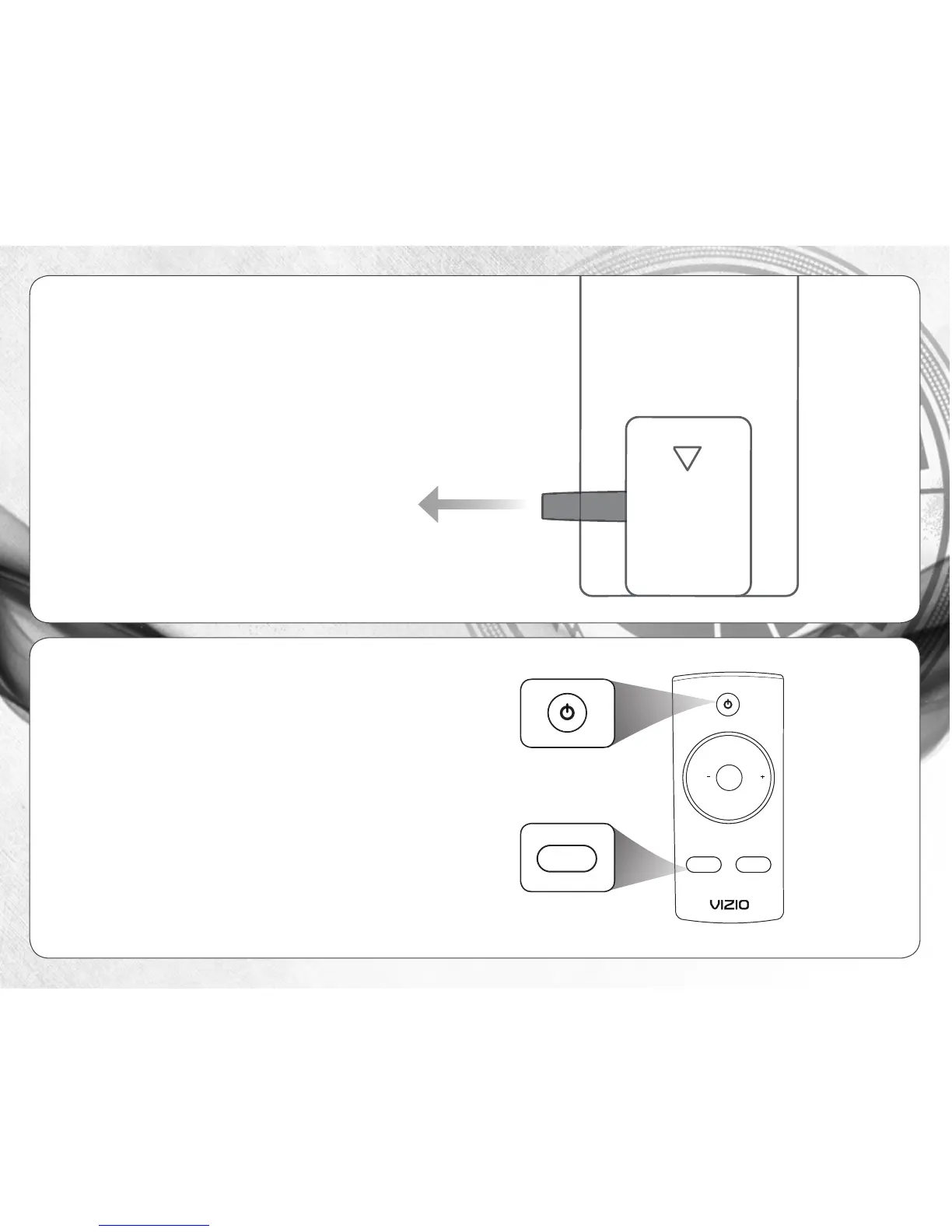
Gently pull the plastic tab from the
back of the remote control. (The
plastic tab can be thrown away.)
5
6
Turn your TV on, then press the Power button
on the remote to turn the Sound Bar on.
Press the Input button to switch between the
Input 1 and Input 2 audio sources. For example,
if you connected your TV to Input 1, set the
Sound Bar to Input 1.
Setup is complete.
Input SRS
+
-
MUTESUB SUB


 To Next Page