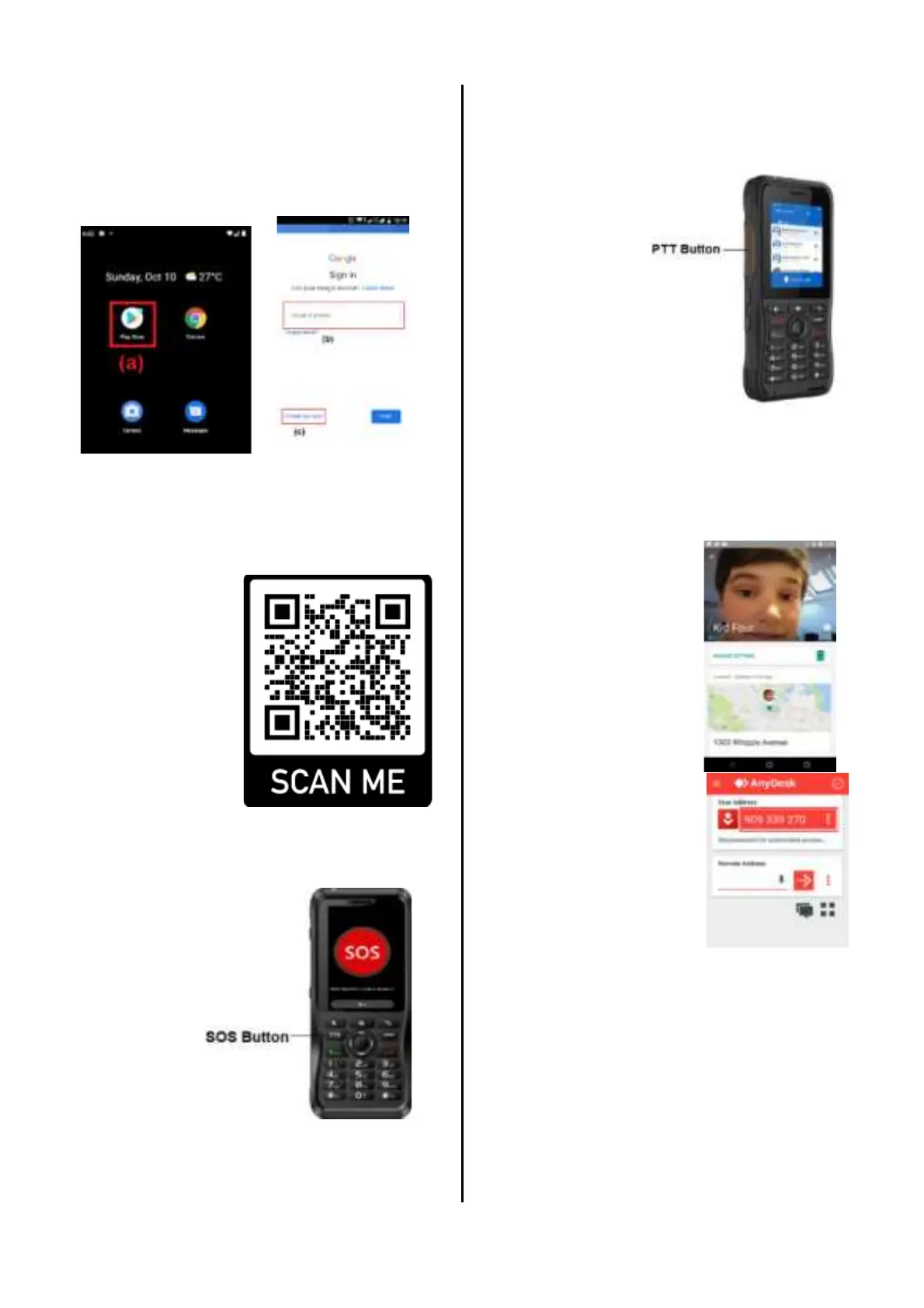
Login Google Play
(a) Open the Google Play Store App
(b) Login using your own existing Google
account, or
(c) Sign up to new Google account
Applications
QR Scan / URL Link
Simply scan the
following QR
code with a QR
reader from the
phone or open
the provided link
from the phone
browser to go to
our website.
Link:
bit.ly/poneswt
SOS App
Worry not,
in case of
emergency
the user can
simply
press and
hold the
SOS button
for 3
seconds
while the
screen ON.
Then the SOS app will send an SMS that
contains the current location and message
to the predefined recipient.
Please configure the recipient number
inside the SOS application.
Quick Call with PTT Button
The user can
make a quick
call to 1
favorite
contact by
simply
pressing and
holding the
PTT button
for 3 seconds
while the
screen ON. Please configure the
predefined recipient phone number
inside the SOS application.
Google Family Link
For child users, it is
safer for them when
outside as the
parents can monitor
their location
anytime.
AnyDesk App
Download and install
the Anydesk APK file
from our website.
This app will provide
remote access to the
phone from another
device.
Simply get the
Anydesk ID from the
user to remote in.
Safety/Usage Warning
Usage Notes:
• Do not use the phone in an explosive
environment (such as gas, dust, steam,
etc.) or charge the battery
• Please turn off the phone while refueling
or parking at the gas station.


 To Next Page