9
STEP 5
6. INSTALLATION
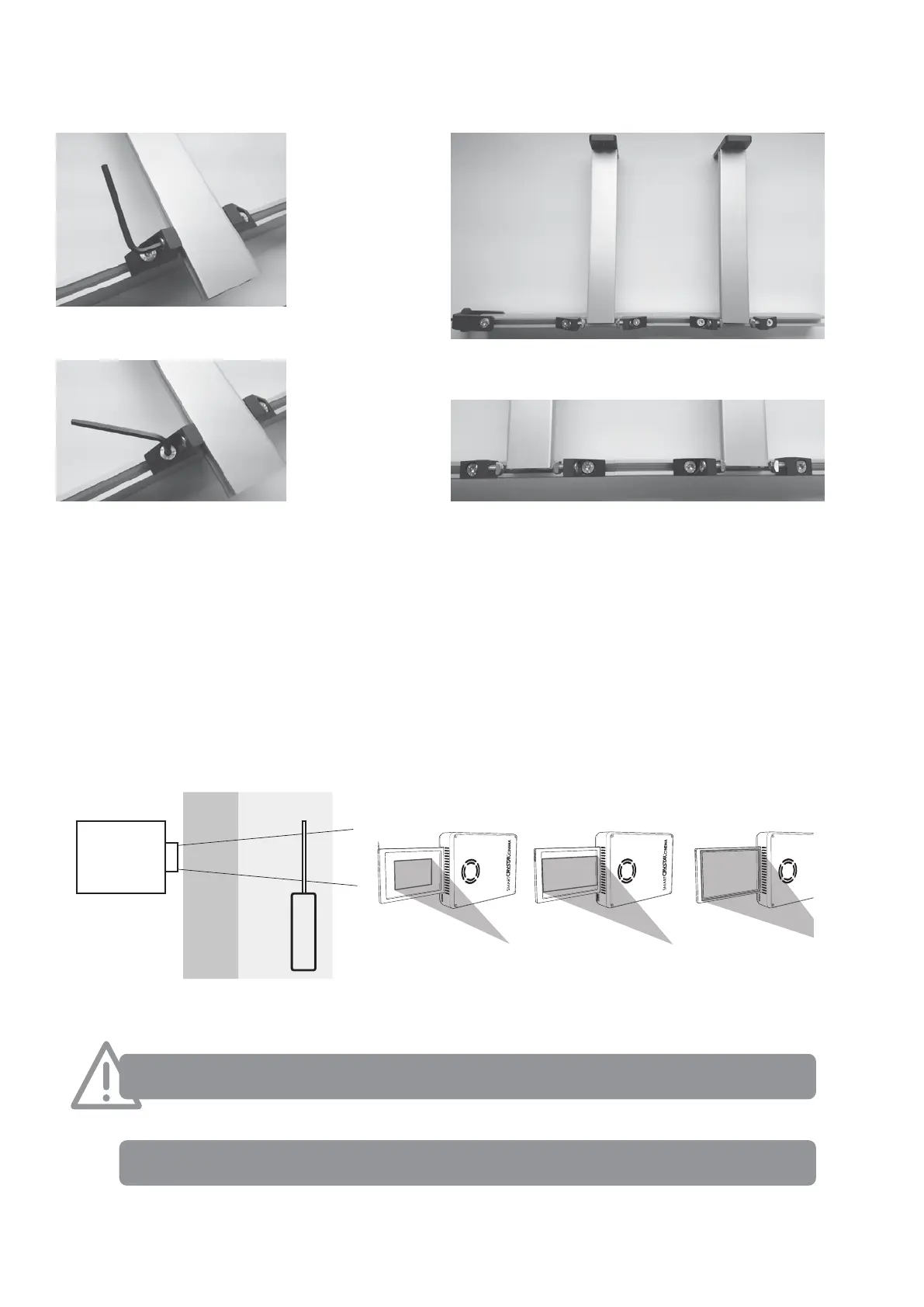
The SmartCrystal™ Cinema Horizontal should be placed directly in front of the lens of the projector at a distance such that the image from
the projector covers as much as possible the entire area of the polarization window in order to minimize thermal heating effects.
Ensure that the side of the SmartCrystal™ Cinema marked “PROJECTOR SIDE” is facing towards the projector.
The SmartCrystal™ Cinema polarization module must be placed at least 80mm (4 inches) away from the projector lens.
FORBIDDEN AREA
SmartCrystal™ Cinema
positioning area
Projector
Not optimized Optimized Out of limits
Projector side
Projector side
Projector side
The distance between the lens and the LCD
should be over 80 mm (4 inches)
Monitor the distance between the projector and the SmartCrystal™ Cinema as it is very important to preserve the LCD.
The projected image must cover the LCD area as much as possible, to avoid heating only a small part of the LCD.
You can set the SmartCrystal
TM
polarization panel at a slight incline to avoid scattering light reection onto the projector
lens and to reduce potential ghosting.
You can tilt the piece #1 at more or less 15 degree


 To Next Page