7
• Never use your speaker near water or in areas where it can come into contact with water.
• Never handle the speaker if it was dropped in water or any other liquid. If the product comes into
contact with water while switched off, but still plugged in, this is a safety hazard.
• Always make sure your hands are dry before touching the plug or power connections.
• Do not operate the product with a damaged cord or plug, or after it malfunctions, has been
dropped, or damaged in any manner.
• This speaker is not intended for use by children, or persons with reduced physical, sensory or
mental capabilities, or lack of experience and knowledge, unless they have been given supervision
or instruction concerning use of the device by a person responsible for their safety. Extreme caution
must be exercised.
• Children should be supervised to ensure that they do not play with the speaker. Packaging must
never be left within reach of children, as it is potentially dangerous.
SAFETY PRECAUTIONS
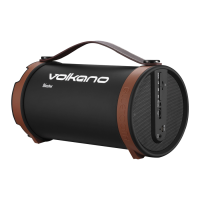
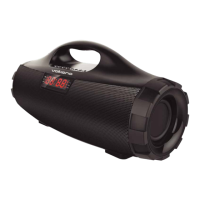
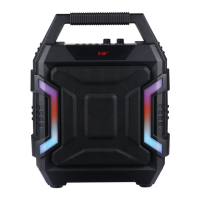
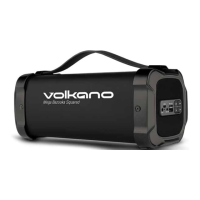
Before Cleaning: Ensure that your Volkano Mega Bazooka Squared Speaker is turned off before
cleaning or maintaining it.
Cleaning: Wipe down the surface of your Volkano Mega Bazooka Squared Speaker using a soft,
slightly damp cloth.
Do not use any harsh or abrasive cleaning chemicals or materials on your Volkano Mega Bazooka
Squared Speaker as doing so may damage or scratch the surface finish.
Do not expose Volkano Mega Bazooka Squared Speaker to direct sunlight or high temperatures for
extended periods of time.
Do not store in temperatures over 60°C. Do not expose the battery to excessive heat such as
sunshine, fire or the like. Store in a cool, dry place.
CLEANING AND CARING INSTRUCTIONS
1. My smartphone cannot find any new Bluetooth devices.
a. Ensure the device has entered the pairing mode.
b. Ensure the device is within an effective working range.
2. Bluetooth device cannot pair up.
a. Ensure your smartphone allows new connections and has not reached the maximum number of
allowed devices.
3. The device does not play music when it is connected to a Bluetooth
smartphone.
a. Ensure your smartphone supports the A2DP profile.
b. Ensure your smartphone is within an effective working range.
4. When paired with my computer, Windows asks for a new driver. Can you supply this?
a. We recommend you find compatible drivers for your computer online.
5. Why can I not remotely control the Pause, Play, Previous and Next functions when music is
playing?
a. This feature needs the Bluetooth
device paired with the speaker to support AVRCP (Audio /
Video Remote Control Profile). Please ensure your device supports this.
TROUBLESHOOTING


 To Next Page