
 Need help?
Do you have a question about the volkano Taurus Series and is the answer not in the manual?
Instructions for charging the charging case, including LED indicator behavior and initial charging recommendation.
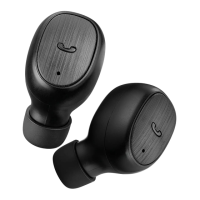
Steps for charging the earphones within the case, including LED indicators and automatic power-on behavior.
How to turn the earphones on and off using the multi-function touch button.
Details on controlling music playback, volume, and track navigation using touch controls.
Instructions for activating and deactivating voice assistants like Siri and Google Assistant.
 General
| Type | Over-Ear |
|---|---|
| Bluetooth Version | 5.0 |
| Driver Size | 40 mm |
| Frequency Response | 20 Hz - 20 kHz |
| Charging Time | 2 Hours |
| Charging Port | Micro USB |
| Microphone | Yes |
| Wireless Range | 10m |
| Impedance | 32 Ohms |
| Features | Built-in Microphone, Foldable Design |
| Cable Length | 1.2m |
| Connector | 3.5mm |












 To Next Page