2
2. Troubleshooting
2.1 How to do
When the inverter was faulty, normally there are two main symptoms:
No display at all;
Fault code or warning code on the LCD;
When the fault occurred, please help to record the fault information and follow “How to
check” of part 2.2 to check the inverter, then feedback the checking result to the service
center. It will be very helpful for solving the problem as soon as possible.
2.2 Fault condition
Note:
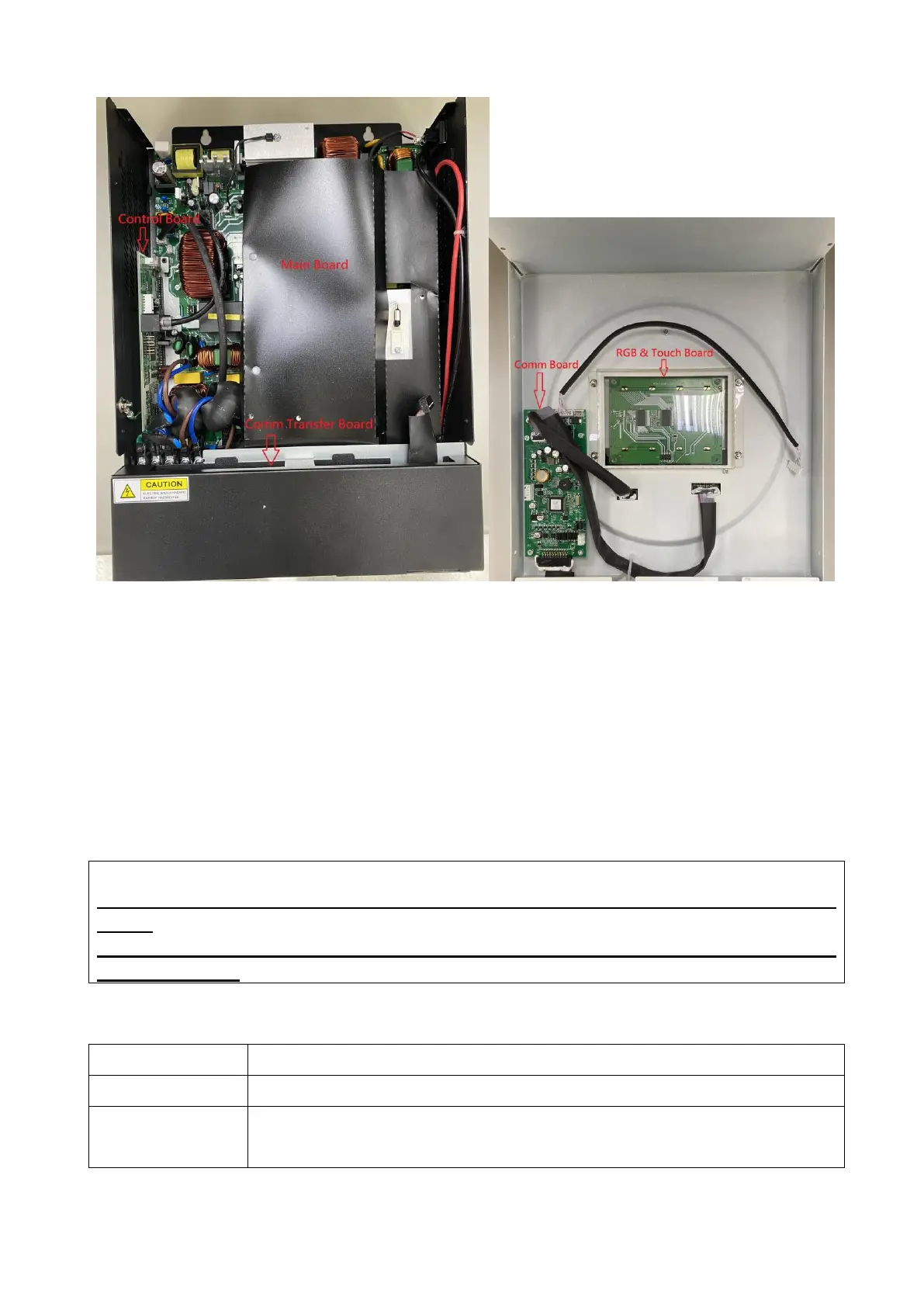
When open the top cover, please have a look first, are there any obviously damaged
parts?
When take the main board out, please have a look around, are there any obviously
damaged parts?
2.2.1. Not working at all/ No display
The inverter couldn’t startup completely.
1. Firstly, please measure the resistor between BAT+ and BAT-. If it is
not shorted, only connect the inverter with battery, and press “ON”



 To Next Page