button, could the inverter startup? If not, please check the fan.
2. If the LCD couldn’t light up and fan doesn’t work, please disconnect
all the wires and open the top cover, and then take the main board
outside by following part 4.
3. Check the main board by following “3.5 and 3.6”
Repair the main or replace it directly.
DC-DC module was damaged or BUS soft start module was damaged.
1. Check the main board by following“3.6; 3.7”;
2. Check the main board by following“3.1; 3.2; 3.3; 3.4”.
Repair the main board and MPPT board or replace it directly.
Battery couldn’t be detected.
Wire connection or fuse was burnt.
1. Check the wire connection, the priority of the battery cable;
2. Check the main board by following “3.1”.
Repair the main board or replace it directly.
2.3 Test step
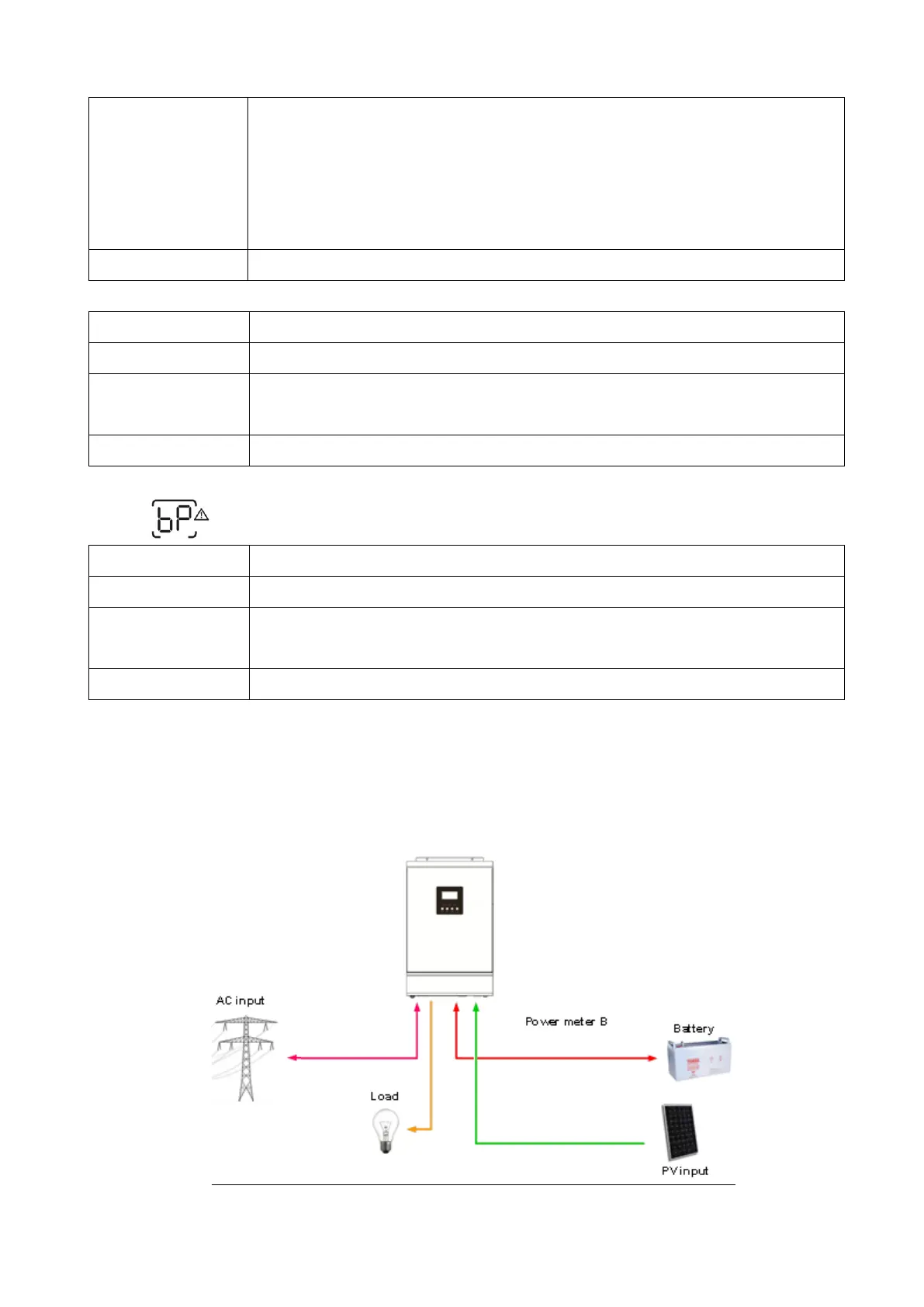
After replacing all defected components, testing steps can be used to confirm the repair
result and the reliability of the Inverter.
Set up the testing system as below:



 To Next Page