Controls
32 VPA 7743722 English 10-2004
22762
21188
21189
Friction Brake
The remote control has a friction brake, which can be
adjusted as necessary, to provide lighter or heavier le-
ver action. If you are using a Volvo Penta shift control
and you wish to make adjustments to the friction
brake, follow the instructions below to make the nec-
essary changes.
NOTE! Each manufacturer has a particular method
for making adjustments to the friction brake.
For specific directions on how to adjust a
non-Volvo Penta friction brake, please refer
to your manufacturer’s manual.
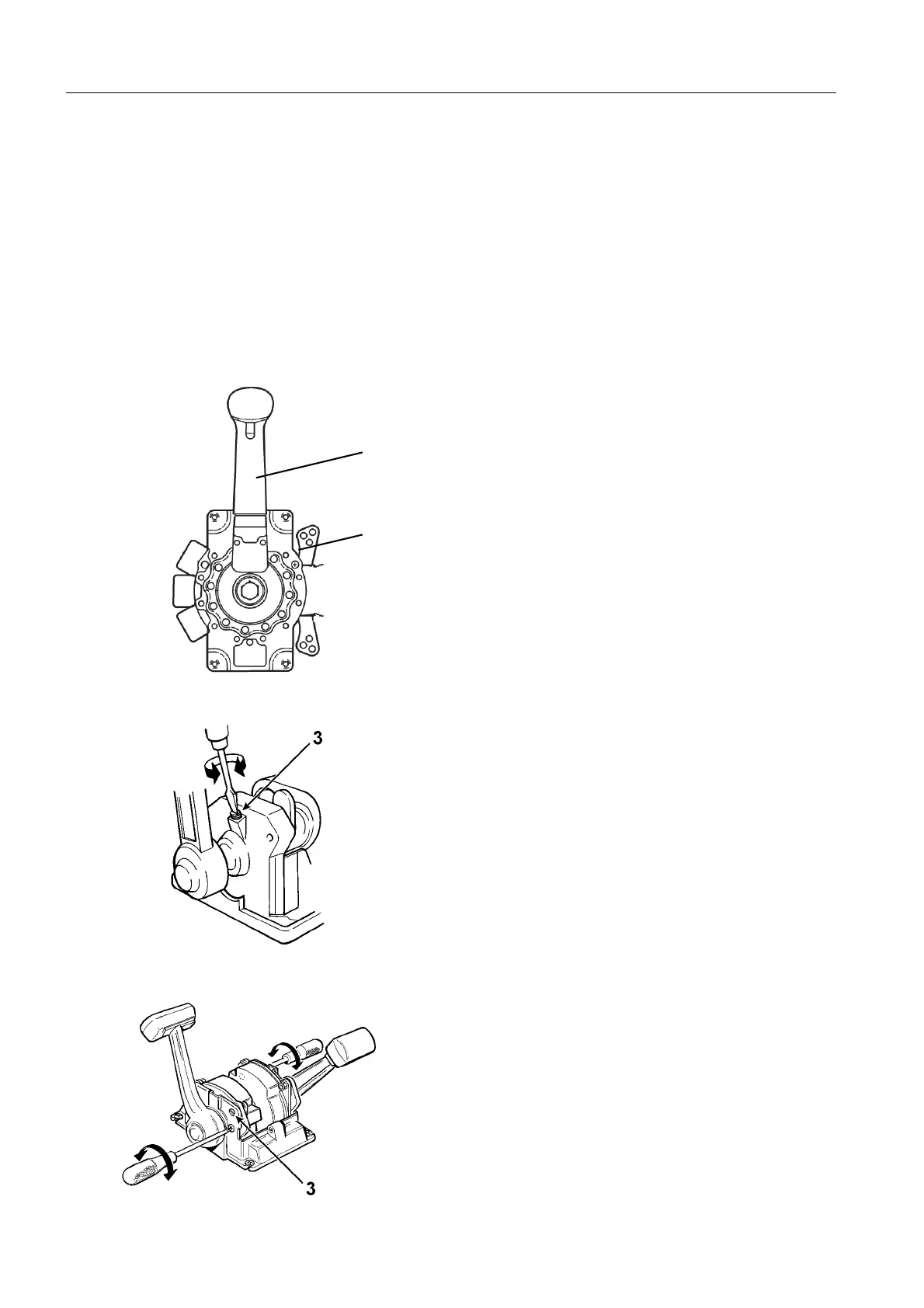
Side Mount Remote Controls
1. Make sure the engine is turned off by removing
the key from the ignition switch.
2. Remove the remote control lever (1).
3. Remove the plastic cover that shields the remote
control mechanism.
4. Using a screwdriver adjust the friction brake
screw (2) as necessary. Turning the screw clock-
wise increases brake effect, while turning it coun-
ter clockwise provides lighter lever action.
5. Reinstall the plastic cover and remote control
lever.
Top Mount Remote Controls
1. Make sure the engine is turned off by removing
the key from the ignition switch.
2. Remove the plastic cover that shields the remote
control mechanism.
3. For single lever controls, move the throttle to the
forward position. For dual lever controls, move
the port side lever forward and the starboard side
lever into reverse.
4. Using a screwdriver adjust the friction brake
screw (3) as necessary. Turning the screw
clockwise increases brake effect, while turning it
counter clockwise provides lighter lever action.
5. Reinstall the plastic cover.
2
1
7743722 - Downloaded from www.volvopenta.com 13/05/2008 20:17:06



 To Next Page