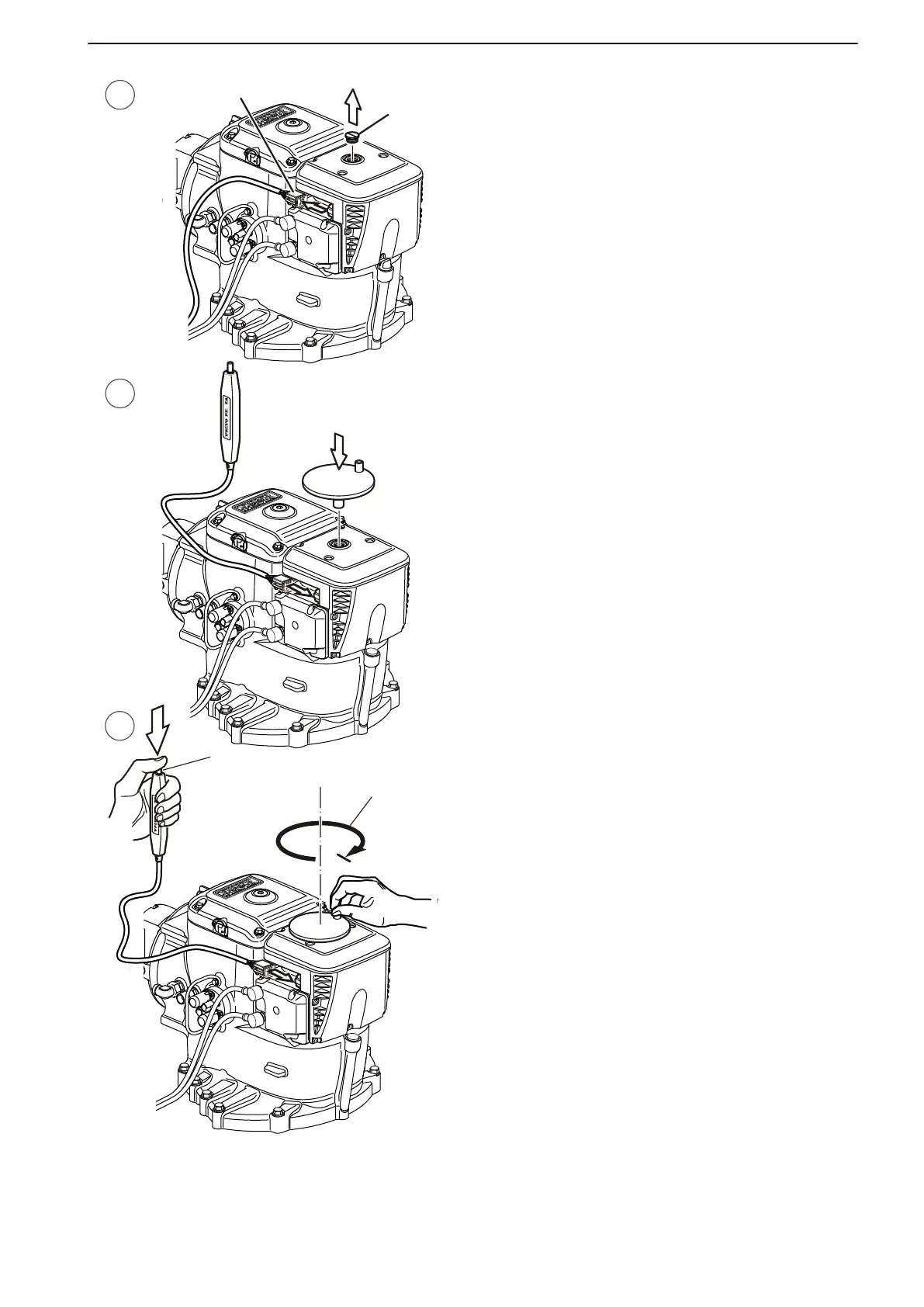
1 Unscrew and remove the plug (1). Disconnect the
cable by
pressing down the lock (2) and at the same
time wiggle the connector in “forward” position.
2 Connect the switch (3) and fit the red crank tool (4).
3 Press the switch button (5) down and keep it
pressed while turning the crank tool carefully to an
end position (6). When the end position is reached,
stop turning. The end position feels like a compres-
sion spring.
IMPORTANT!
Do not force the crank tool beyond the end position,
it could damage the propulsion unit.
In Case of Emergency
47702095 04-2011 69





 To Next Page