102
If there are several diagnostic trouble codes (DTCs)
stored the next code is flashed when the button is
pushed again. When the first DTC is repeated, all the
codes have been read off.
Diagnostic Trouble Code(s) (DTCs) are stored until
erased. This should be done after the malfunction or
source of the DTC has been identified and repaired.
NOTE! If the On-board Diagnostics (OBD) system
has triggered an event (for example stopped the
engine) you must erase the DTC before the engine
can be restarted. Refer to Erasing Diagnostic
Trouble Codes (DTC) below.
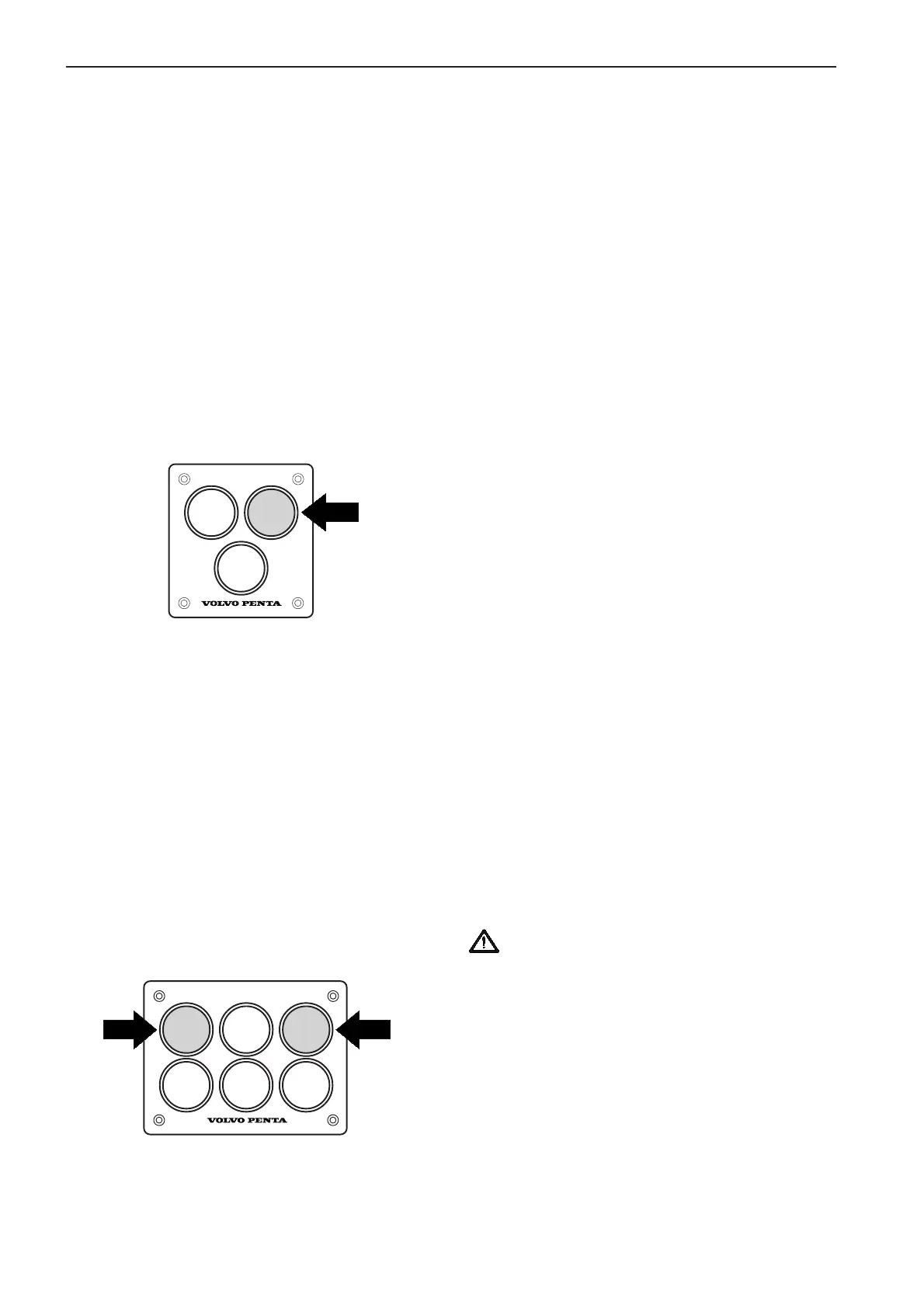
TAMD73P and TAMD74: EDC control panel –
Single engine
TAMD73P and TAMD74: EDC control panel for
one or more control stations (double installation)
1. Port engine
2. Starboard engine
Erasing stored Diagnostic Trouble Codes (DTC)
Warning! Diagnostic trouble codes must not
be erased when the boat is in operation.
1. Turn the starter key to the stop position “S” and
release the key.
2. Press the yellow Diagnostics button and hold it
in while turning the starter key to the I (operating)
position.
Erase the diagnostic trouble codes (DTCs) by
keeping the button pressed down for another 3
seconds.
Note. If the diagnostics button is pressed again
after clearing the diagnostic trouble codes (DTCs)
code 1.1 (No DTC stored) will be flashed out by
the system.
Reading off Diagnostic Trouble Codes (DTC)
To get a read-out from the system of what the nature
of the fault is that is causing the diagnostic trouble
code (DTC), press the yellow Diagnostics button when
the light is flashing. This results in the system flash-
ing a two-part code.* The first number of flashes are
units of ten, followed by a short pause, then a series
of new flashes (single units).
After the alarm has been acknowledged (DTCs have
been read off) the light will go out. Stored DTCs can
be read off again by pressing the yellow button.
Refer to the section EDC Diagnostic Trouble Codes
(DTC) on pages 103–105 for an explanation of the
flashed code sequences.
Note. Service technicians can obtain a more compre-
hensive DTC read-out in plain language using the
diagnostics Scan Tool (Diagnostic Key).
* Example: 2 flashes – pause – 6 flashes = DTC 2.6 Fault on
the control unit potentiometer.
Diagnostic functions – OBD system
(TAMD73P and TAMD74)
The indicator lamp in the yellow Diagnostics button
on the EDC system control panel starts to flash if the
system receives abnormal signals or if there is a
malfunction in the EDC system.
Press the button* for at least one second in order to
read off the Diagnostic Trouble Code (DTC) and to
acknowledge the alarm. A DTC message is flashed as
a two-stage code.
* Note. When the engine is stopped the diagnostic trouble code
(DTC) is flashed only after the EDC system is activated. To
activate the EDC system turn the starter key to position “I”
(operating position).
DIAGNOSIS
12
DIAGNOSIS DIAGNOSIS
7740156 - Downloaded from www.volvopenta.com 22/07/2009 00:44:08


 To Next Page
 Loading...