10 Infotainment system
Phone functions*
10
``
* Option/accessory, for more information, see Introduction.
245
Volume
The phone uses the driver's door speaker.
Call volume
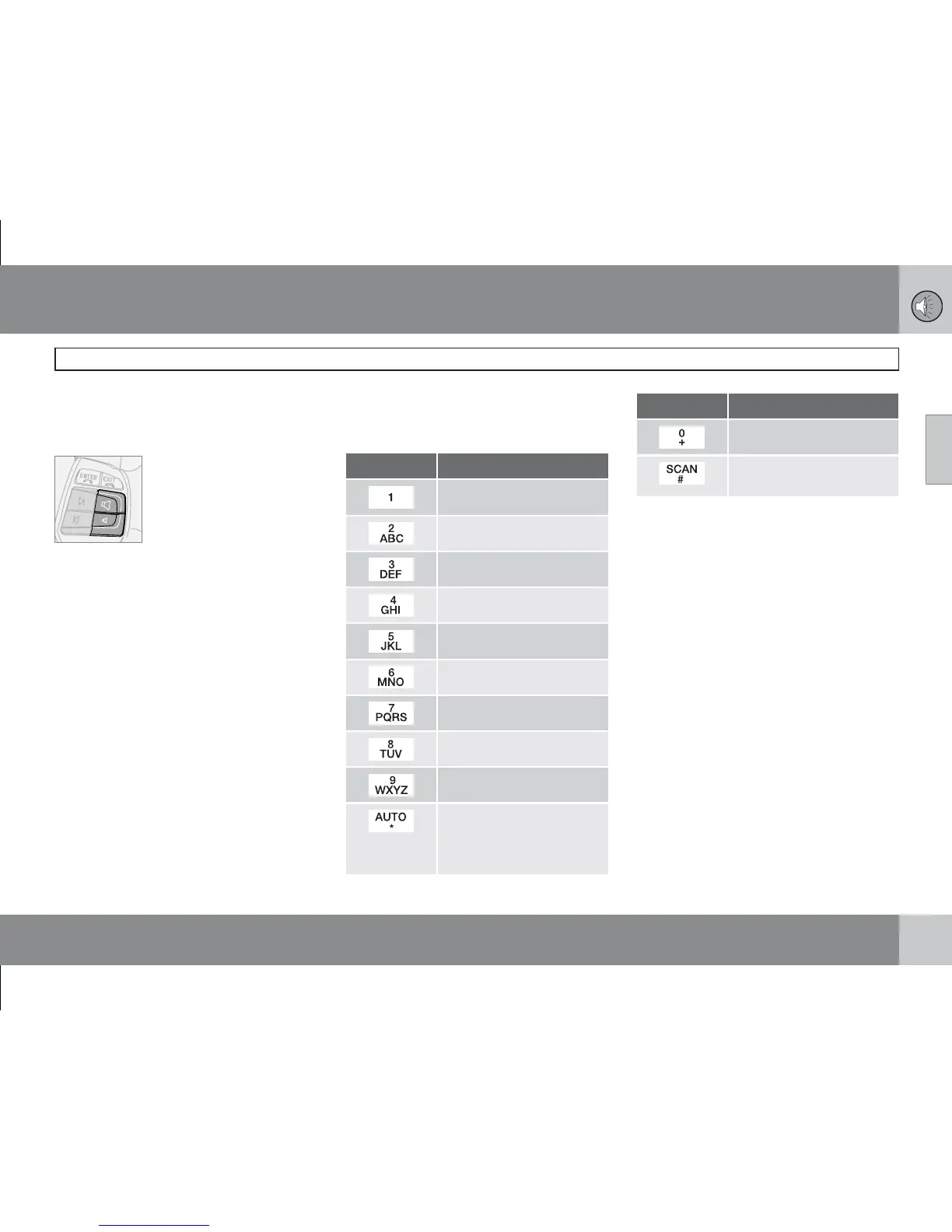
Call volume is regulated with
the steering wheel keypad.
If the privacy handset is used,
volume is regulated with a
wheel on the side of the hand-
set.
Audio system volume
Audio system volume is temporarily lowered
during a phone call. Once the call is ended the
previous volume is resumed. If the volume is
regulated during the call, the new level is
retained once the call is ended. Sound can also
be automatically muted during a phone call,
see menu 5.4.3, on page 250. This function
only applies to the Volvo integrated phone sys-
tem.
Entering text
Text is entered using the phone keypad.
1. Press the key with the desired character -
once for the first character on the button,
twice for the second, etc. See table.
2.
Press 1 for a space. If two characters in a
row are to be entered using the same but-
ton, press * or wait a few seconds.
A short press on EXIT deletes an input char-
acter. A long press on EXIT will clear all entered
characters.
Key Function
space 1 - ? ! , . : " ' ( )
a b c 2 ä å à æ ç
d e f 3 è é
g h i 4 ì
j k l 5
m n o 6 ñ ö ò Ø
p q r s 7 ß
t u v 8 ü ù
w x y z 9
Pressed briefly if two char-
acters shall be entered after
each other with the same
key.
Key Function
+ 0 @ * # & $ £ / %
Switch between upper and
lower case.
Handling numbers
Calling the last number dialled
The phone automatically stores the last phone
numbers dialled.
1.
Press ENTER.
2.
Scroll to a number and press ENTER.
Phone book
If the phone book contains a live caller's con-
tact information then this is shown in the dis-
play. Contact information can be stored on the
SIM card and in the phone.
Storing contacts in the phone book
1.
Press MENU.
2.
Scroll to
Phonebook and press ENTER.
3.
Scroll to
New number and press ENTER.
4.
Enter a name and press ENTER.
5.
Enter a number and press ENTER.
6.
Scroll to SIM card or Phone and press
ENTER.







 To Next Page