07 Driver support
07
* Option/accessory, for more information, see Introduction.
241
Cars with reversing sensors*
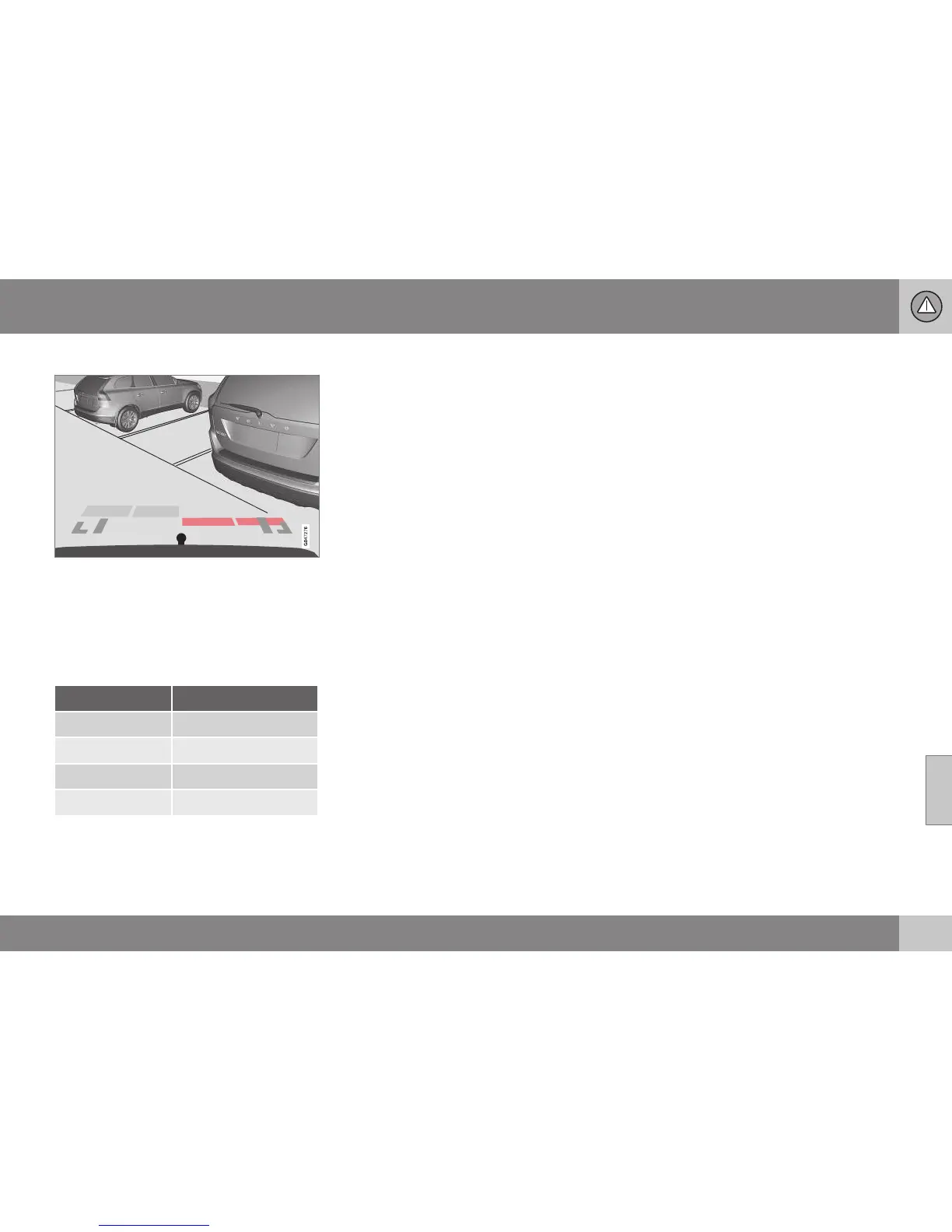
Four coloured areas (one per sensor) show dis-
tance.
If the car is also equipped with parking assis-
tance sensors (parking assistance sensors (p.
235)) the distance indication will be more pre-
cise and the coloured areas show which of
the 4 sensors is/are registering an obstacle.
Colour / paint Distance (metres)
Light yellow 0.7–1.5
Yellow 0,5–0,7
Orange 0,3–0,5
Red 0–0.3
Related information
•
Park assist camera - settings (p. 241)
•
Park assist camera - limitations (p. 242)
•
Park Assist* (p. 235)
Park assist camera - settings
The parking camera is an assist system and is
activated when reverse gear is engaged.
Settings
To change the settings for the parking cam-
era:
1. Press OK/MENU when a camera view is
shown.
2. Turn to reach the desired option with OK/
MENU.
3. Press OK/MENU and back out with EXIT.
or
1. Press CAM.
2. Press OK/MENU.
3. Turn to reach the desired option with OK/
MENU.
4. Press OK/MENU and back out with EXIT.
Miscellaneous
The default setting is that the camera is acti-
vated when reverse gear is engaged.
•
One press on CAM activates the camera
even if reverse gear is not engaged.
•
Change between normal and zoomed
image by turning TUNE or by pressing
CAM.
Towbar
The camera can be used with advantage for
coupling a trailer. A park assist line for the



 To Next Page