VOLVOTECH.EU INSTALLATION MANUAL
VBB4 ( VIDEO BREAK- IN BOX TYPE 4) VERSION 1.1
Page 11 of 14
CopyRight 2012, VolvoTech.EU
C: BE || CD 121107 || V 1.00 || RD 140228 || HC 1 || FC 3.26 ||
VolvoTech-manual-EN-installation-VBB4-VID-POW-MC-S40-V50-
C70-1.1.doc
Contact details:
VolvoTech.EU
support@volvotech.eu
C70 / S40 ONLY:
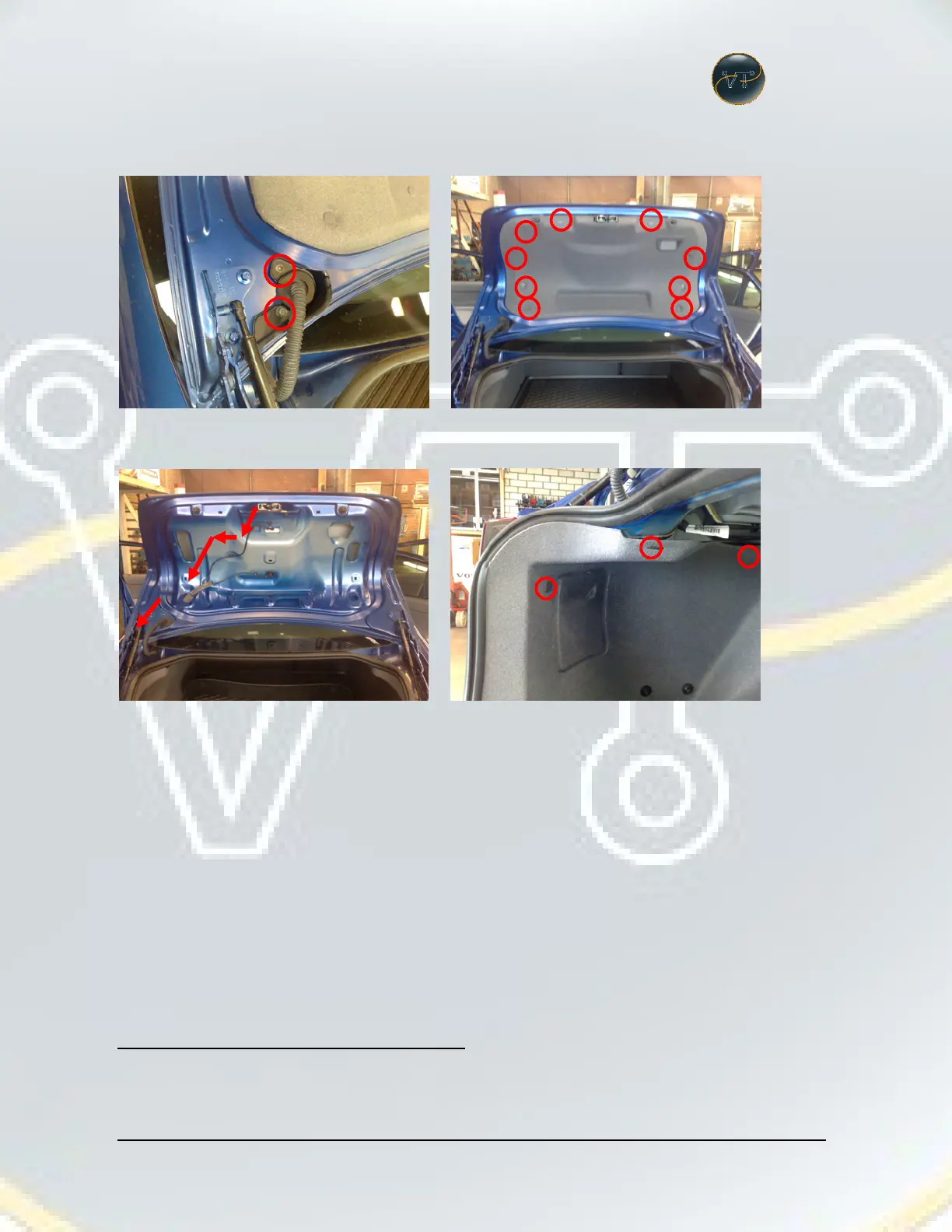
Remove TORX screws and rubber cover from car and remove grey cover part:
Guide the camera cable as shown and put the cable set trough the rubbers,
remove the inner cover and leave the cables hanging there for now.


 To Next Page