03 Planning your trip
Settings
03
58
itinerary, as well as the distance to it, will be
shown on the instrument panel.
Time information
Select the time-related information to be dis-
played:
•
ETA (Estimated Time of Arrival)
•
RTA (Remaining Time until Arrival)
Always show intersection map
The navigation system can work in the back-
ground while other information (radio, phone,
etc.) is displayed.
Select
Always show intersection map +
OK to select the function that displays
detailed map information on half of the screen
while other sources/programs are being used,
see page 33.
Alert for My POI
Select MyPOI Alert + OK to activate a preset
audible alert when the vehicle approaches a
MyPOI location, see page 59.
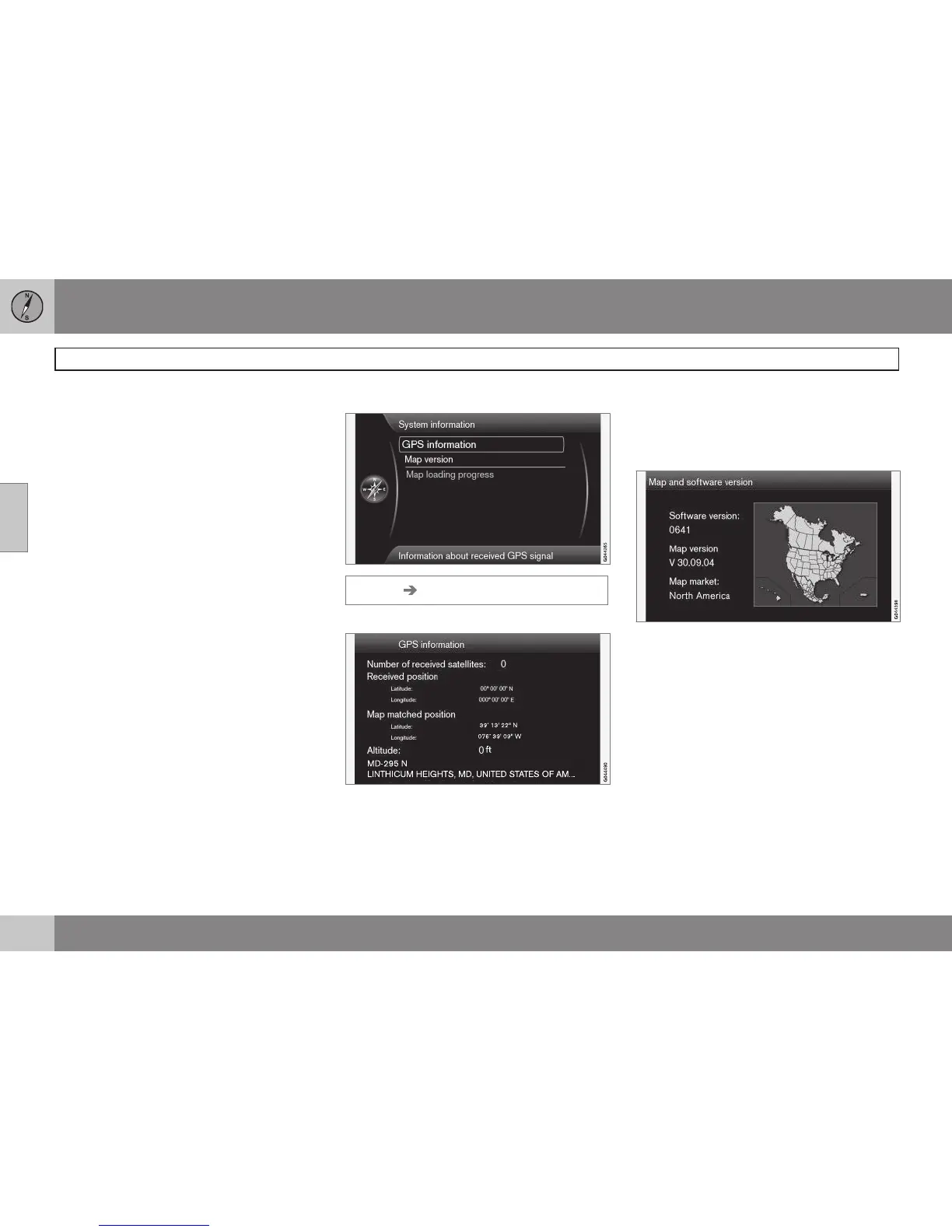
System information
Settings System information
GPS information
The screen shows:
•
Number of received satellites:
•
Received position
•
Map-matched position
•
Altitude:
•
The geographic name of the current posi-
tion.
Map version
The screen will display:
•
Software version:
•
Map version:
•
Map market:
Map loading progress
This indicates the progress of a map/system
update. See page 17 for more information.



 To Next Page