04 Traffic information
Reading information
04
66
Read traffic message
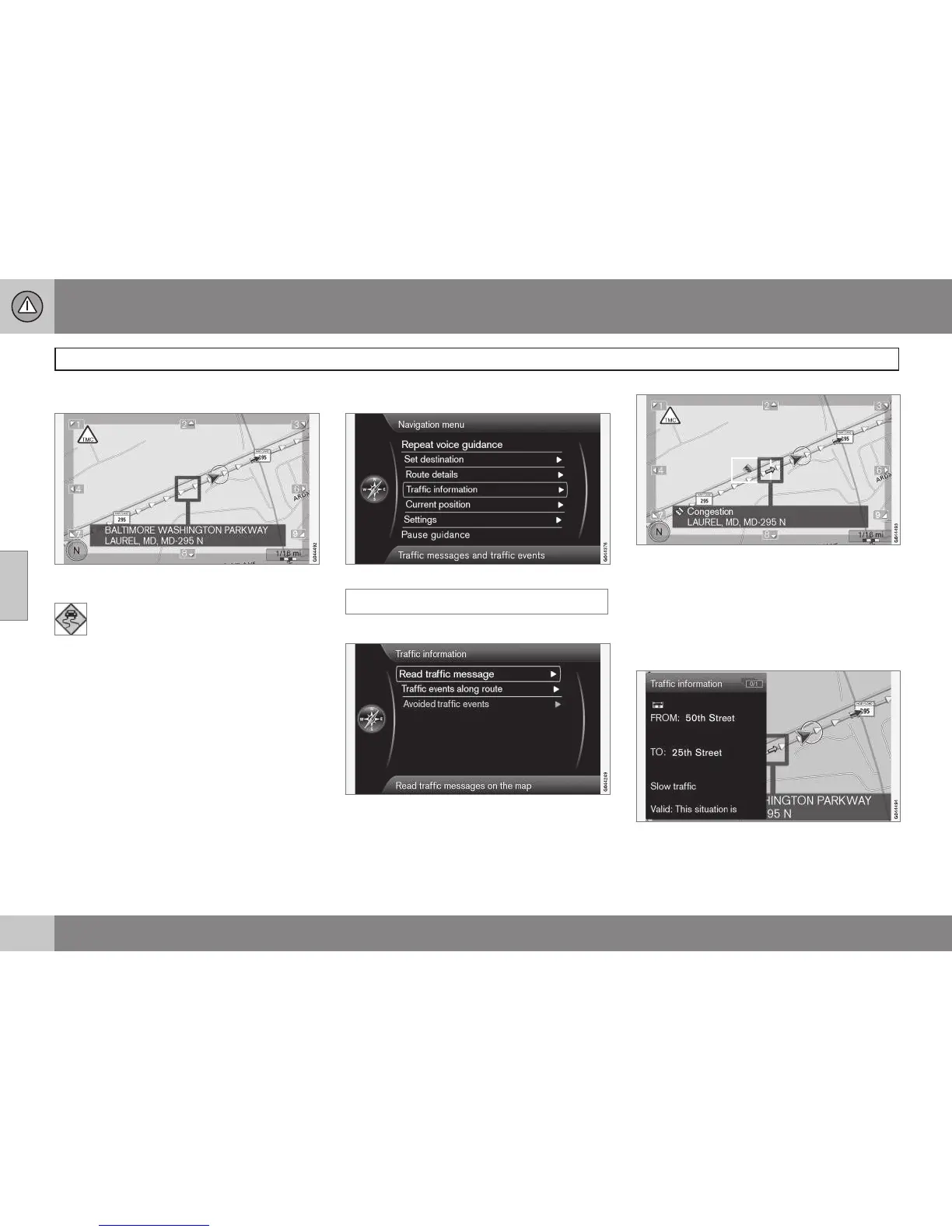
A traffic problem and the area affected, marked
by arrows
When the crosshairs are placed over
an area where there is a traffic disrup-
tion (marked by arrows along the
road), a flashing box with the traffic symbol is
displayed.
In order to read the traffic information:
•
Press OK and select
Traffic information
+ OK.
Traffic information
Main menu
Traffic information
Read traffic message
With Read traffic message selected, press
OK to display the following view:
1. Move the crosshairs to the traffic disrup-
tion (indicated by a colored line or arrows
parallel with the road) that you would like
information about. A traffic symbol with a
box will begin to flash on the map.
2. Press OK and information similar to the
illustration will be displayed:
Detailed information about the traffic disrup-
tion is linked to the symbol, including (if avail-
able):



 To Next Page