Voodoo Dragon
5
3. Software installation
The Voodoo Dragon complies with the Plug & Play (PnP) standard.
Your system will recognise the card automatically. Follow the
instructions below to install the software:
1. Start Windows.
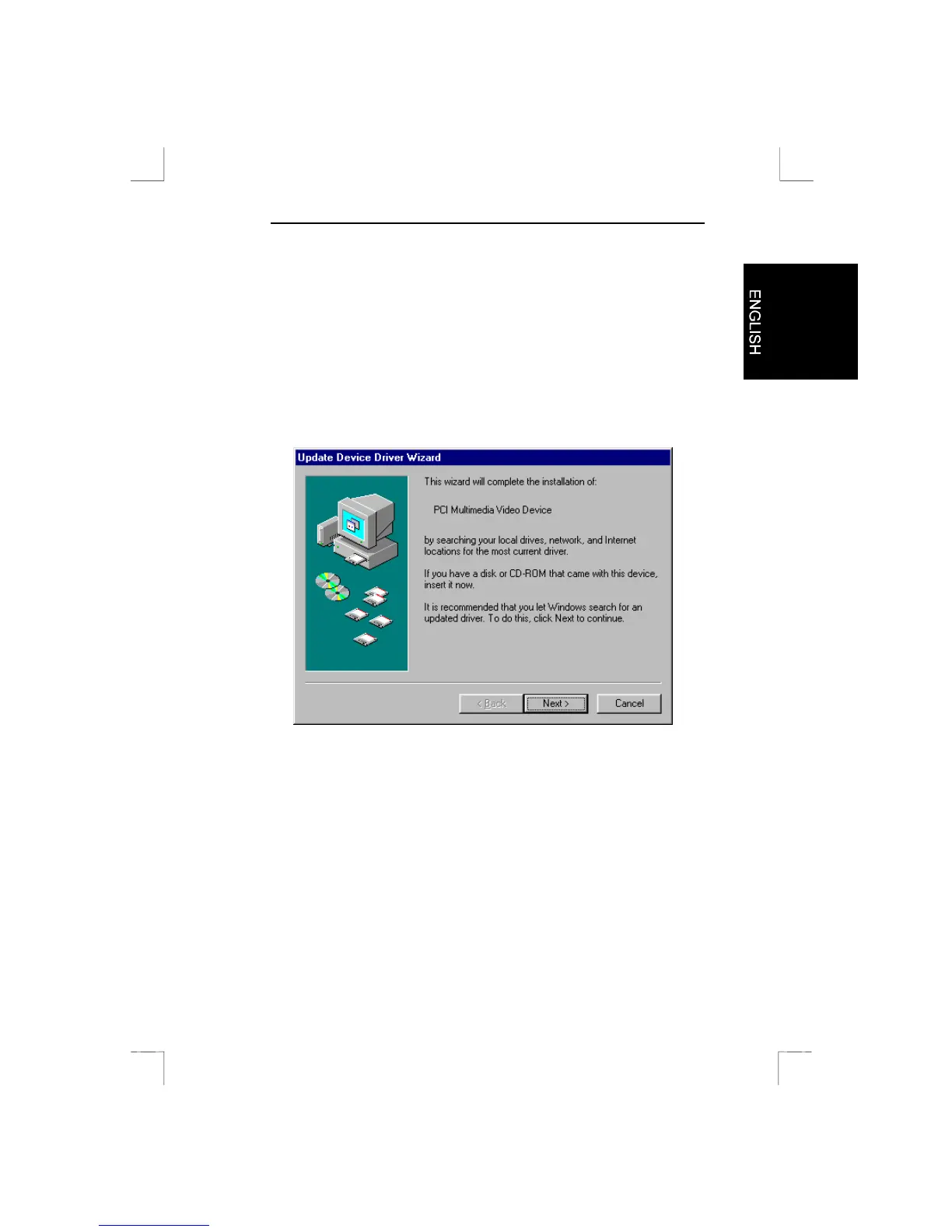
2. The Voodoo Dragon will be found automatically and will request a
driver. A screen as illustrated in Figure 2 will appear.
Figure 2: Automatic recognition in Windows
3. Place the CD-ROM containing the drivers into your CD-ROM
player.
4. Click on “Next”.
5. Click on “Browse”.
6. Enter [D:\DRIVER] as path and then press <Enter>. The
example assumes that the letter “D” has been assigned to your
CD-ROM station. If your computer uses another letter, say “E”,
then replace the “D” with “E”.
7. Click on “Finish”. The driver has now been installed.
8. Restart your system.



 To Next Page