Voodoo Dragon
7
4. Changing properties
After installation, the Voodoo Dragon will be set to achieve the best
results in most cases. Nevertheless, the properties can be changed if
desired.
Select “Properties” or “Display” in the Control Panel. Then select the
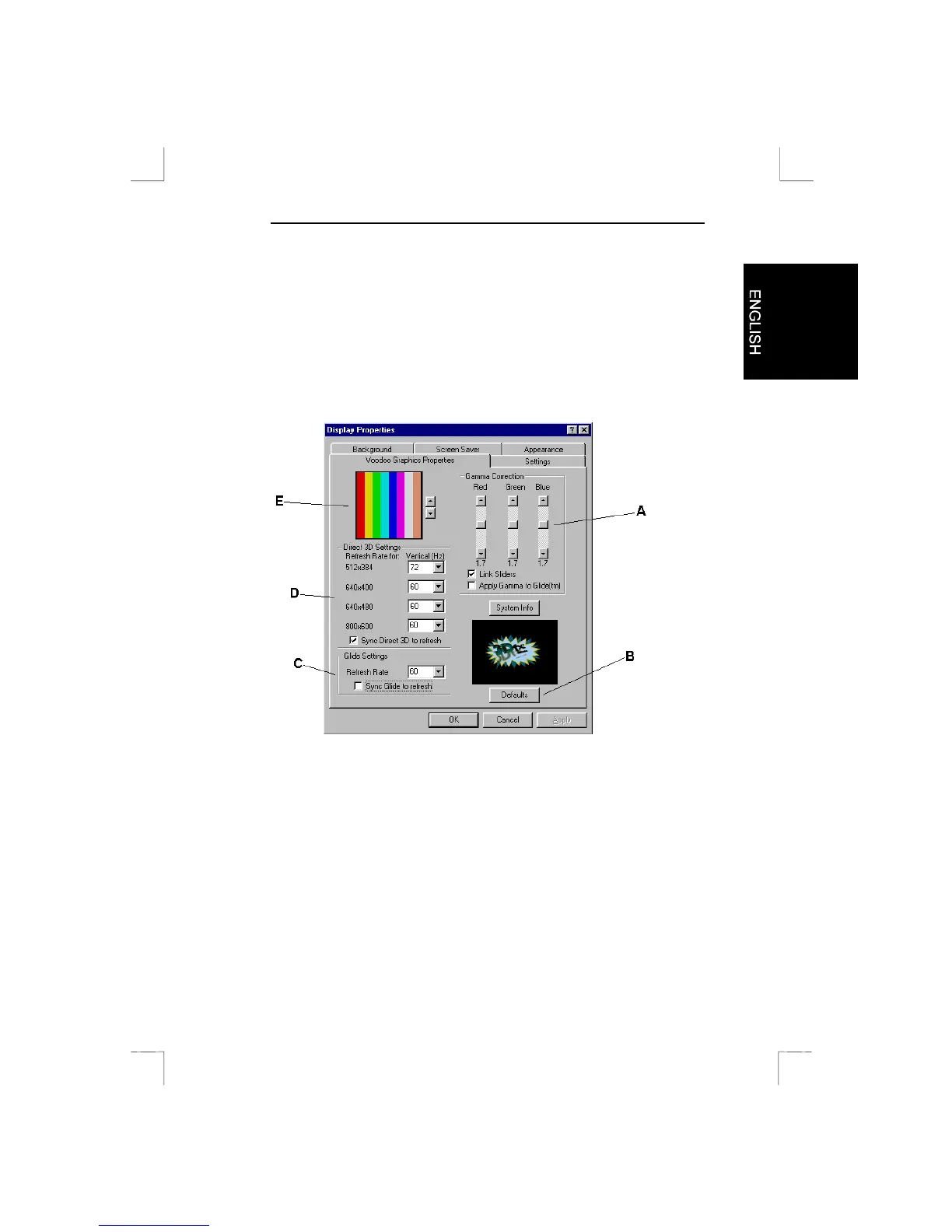
Voodoo Graphics properties sheet. A screen as illustrated in Figure 4
will appear.
Figure 4: Changing properties
A
Brightness: To change the brightness of the 3D screen.
B
Restore standard settings: To cancel your previous settings.
C/D
Refresh rate for DOS and Windows: A higher value provides
a more soothing picture. Select a value that your monitor uses.
E
Control Panel brightness setting: Displays an example of the
3D brightness setting (A).



 To Next Page