Ceramic Master E20 en v1 16
10. USER SOFTWARE
11. MAINTENANCE
12. DELIVERY SCOPE
User can connect the oven to a PC via USB interface.
The manufacturer provides a special program
E20_User_Software, which can be used for
- Download user programs from the furnace;
- Upload editing programs to thefurnace;
- Updating the system software;
- Programming the furnace directly from the PC;
- Control through the PC.
Clean only with a dry or slightly moist cloth (no solvents!).
Change the safety locks with the announced valus only,
namely:
1.25A, slow (class T).
8A, slow (class T).
No repair activity by a service technician who is not
authorized by the manufacturer is allowed!
The lifting and carrying should be made only with the both
hands from below as the furnace stands on end.
No carrying and transportation in another state except for
vertical position is allowed!
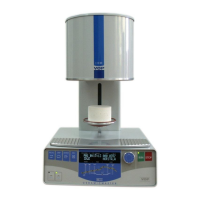
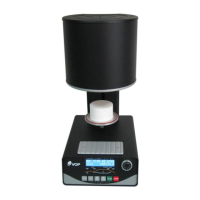
Furnace CERAMICMASTER E20 1 pc.
Vacuum pump PVD-M22 1 pc.
Power cable 1 pc.
Flexible tube for the vacuum 1 pc.
Spare fuses
1.25А/250V 1 pc.
8A/250V 2 pc.
User Manual
PRODUCER: “VOP” Ltd.
2140 IZ “Microelectronika”
Botevgrad, Bulgaria
Теl. 0723 66303
Теl./Fax 0723 66304


 To Next Page