42 Working with the Thermomix®
WORKING WITH THE THERMOMIX®
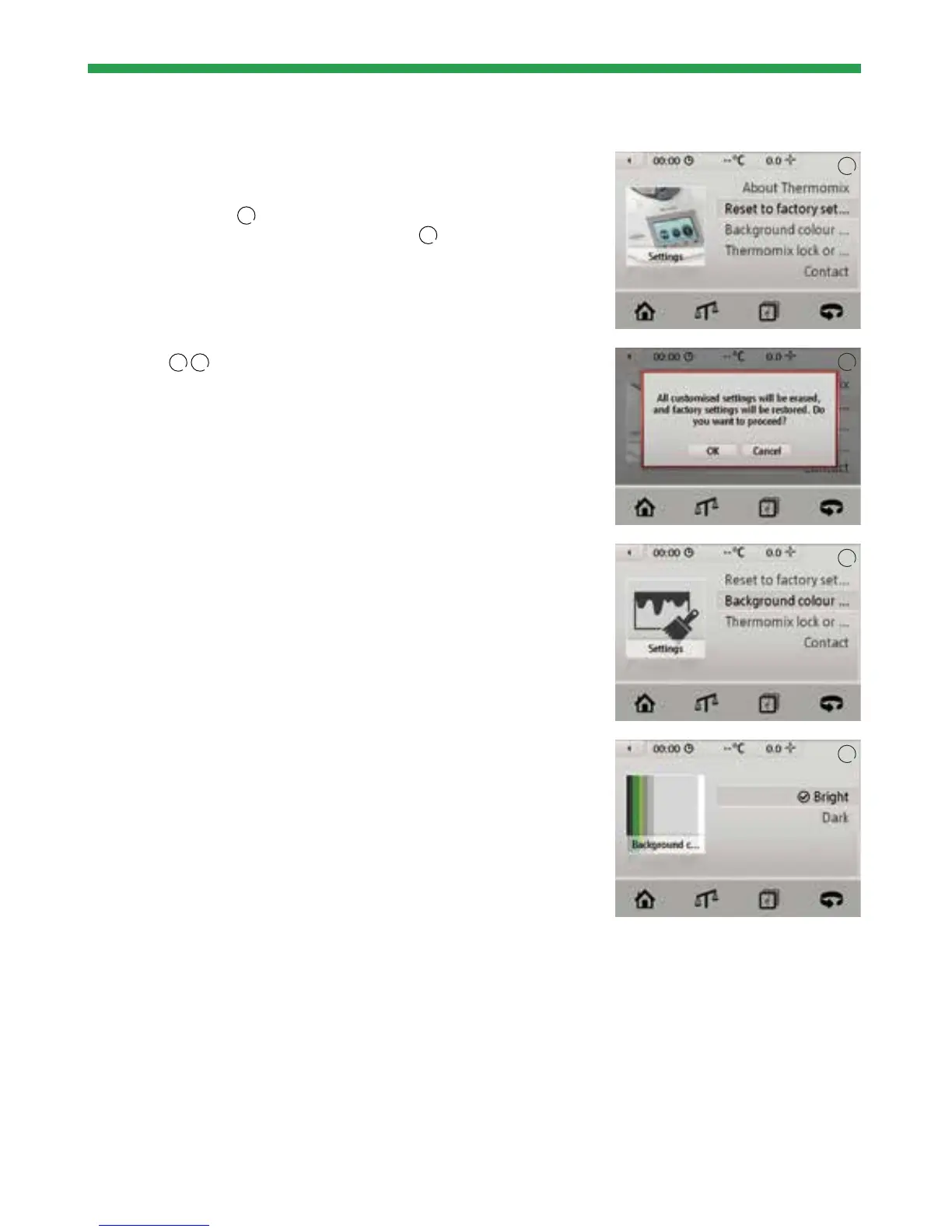
Reset to factory settings
Use the “Reset to factory settings” option to revert to the original Thermomix
®
manufacturer settings
1
.
Please note that your personal settings will be lost
2
.
Background colour
Choose between light text on a dark background and black text on a light
background
3
4
.
1
2
3
4


 To Next Page