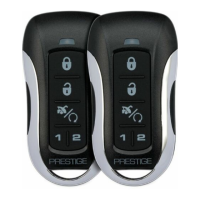
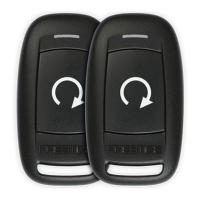
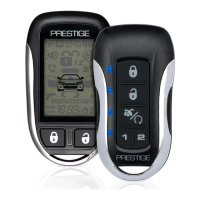
This document serves as an Owner's Guide for the Prestige Security and Convenience System, specifically for models PE1BZ and PE1BZLR, which are equipped with a Flashlogic FLRS RF Upgrade Kit. The guide provides essential information on operating and maintaining the remote control system, emphasizing that while the instructions apply to most vehicles, some functions or safety precautions may vary depending on the specific vehicle configuration. Users are advised to consult their installing dealer for detailed information relevant to their vehicle.
The primary function of this system is to provide remote control capabilities for vehicle security and convenience features, including door lock/unlock and remote engine start/shutdown. The remote control is a 1-button device, identified as Model 181BP / 181SP, which simplifies its operation.
Usage Features:
- Door Lock: To lock the vehicle's doors, the user simply presses and releases the single button on the remote control.
- Door Unlock: To unlock the vehicle's doors, the user presses and releases the same button two times.
- Remote Starting Your Vehicle: To activate the remote start function, the user presses and holds the button for 3 seconds. The vehicle will then start and run for a predetermined duration, which can be set during installation from 5 to 60 minutes. This feature allows for preheating or precooling the vehicle's interior. Before exiting the vehicle, users should set the temperature controls to their desired setting (heater or air conditioner) so that when the system remotely starts the vehicle, the interior will be conditioned accordingly.
- Remote Start Shutdown: To turn off the vehicle after a remote start, the user presses and holds the button for 3 seconds. Alternatively, pressing the vehicle's brake pedal will also shut down the remote start.
- Entering the Vehicle while it is Running via Remote Vehicle Start: The guide outlines a specific procedure for entering the vehicle when it has been remotely started. First, the user unlocks the vehicle's doors. Second, the user enters the vehicle, with a crucial warning not to press the brake pedal at this stage. Third, the user inserts the key into the ignition switch and turns it to the ON or RUN position. Finally, the user presses the brake pedal, which disengages the remote vehicle starter, allowing the vehicle to operate normally. A significant note is provided here: this feature may not be available on all vehicle makes/models. In some cases, the remote start may shut down upon entry, requiring the user to restart the engine normally. Users are advised to consult their installing dealer for specifics.
- Remote Start Valet Mode: This mode is designed to disable the remote starter functionality when the vehicle is being serviced or parked by a valet. To enter or exit Valet Mode for systems using a Flashlogic FLRS kit, the user must cycle the ignition ON five times rapidly (5x OFF/ON) within 7 seconds. After this, LED 1 on the FLRS kit will turn solid RED for 2 seconds. The user then turns the ignition to the OFF position, completing the Valet Mode programming procedure. In Valet Mode, the remote starter is not functional, although lock and unlock functions may remain operational on units with keyless entry. Exiting Valet Mode involves repeating the same steps.
- Remote Control Programming: The guide details the process for programming new or existing remote controls to the system. This involves cycling the ignition ON five times rapidly (5x OFF/ON) within 7 seconds. After this, the user presses any one button on each transmitter they wish to program. The system's LEDs will flash to confirm each transmitter. Finally, the user turns the ignition OFF. The system uses 1-button programming, which programs all channels simultaneously. It can store up to 4 transmitters in memory; programming a fifth transmitter will erase the oldest one.
Maintenance Features:
- Replacing Remote Control Batteries: The remote control uses a CR2032 battery, which is expected to last approximately one year under normal use. Signs of a weak battery include a deterioration in remote control range and a dimming of the small LED on the remote. To replace the battery, the user needs to:
- Use a coin to disassemble the two halves of the remote control.
- Remove the old battery, carefully noting the +/- symbols, and replace it with a new CR2032 battery.
- Reassemble the halves of the remote control.
- Test the operation of the remote control to ensure it functions correctly.
The document also includes important legal and compliance information, specifically regarding FCC and Industry Canada regulations. It states that the device complies with Part 15 of the FCC rules and RSS-210 of Industry Canada, operating under the conditions that it does not cause harmful interference and accepts any interference received. A warning is included against unauthorized changes or modifications, as these could void the user's authority to operate the equipment. Contact information for Voxx Electronics Corporation Customer Service and their website are provided for support.

 Need help?
 General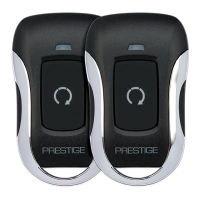

 To Next Page