10
SMARTSTREAM IOS
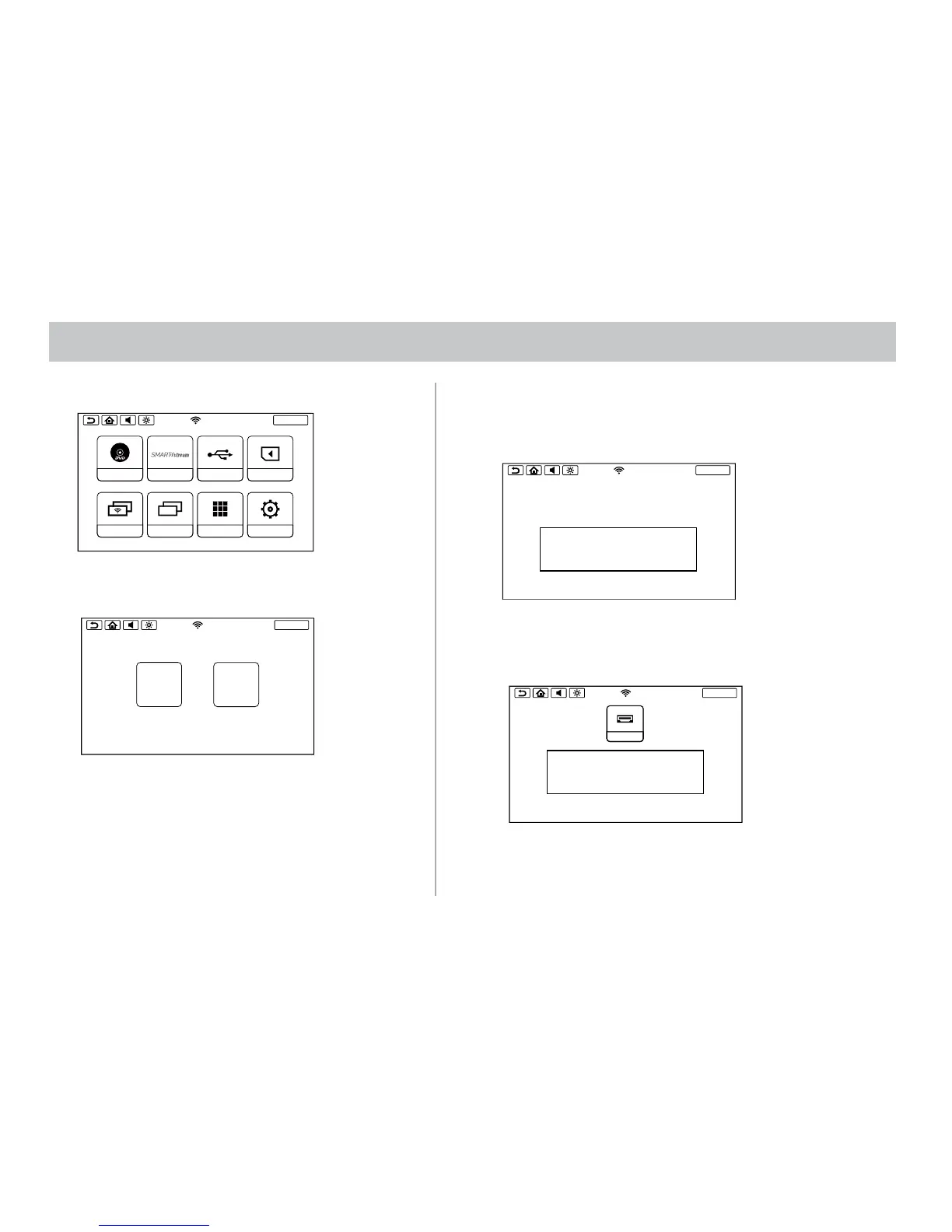
1. Press the SmartStream icon on the Main Menu
2. Select the iOS icon on the screen.
SCREENOFF
DVD
SmartStream
USB
SD
DUAL SCREEN WIFI DUAL SCREEN
APPS
SETUP
SCREENOFF
HDMI
SmartStream
USB
SD
DUAL SCREEN WIFI DUAL SCREEN
APPS
SETUP
SCREENOFF
Device Name : SB10M1_1234
Please Connect Mirroring Function From Your
Android Mobile Device
SCREENOFF
SmartStream does not support IOS devices due to Apple limitations in wireless
content transfer. Please connect your IOS device using HDMI input.
You must connect to SB10M1 monitor and select HDMI as the source to view HDMI
content on this monitor.
SCREENOFF
SmartStream does not support IOS devices due to Apple limitations in wireless
content transfer. Please connect your IOS device using HDMI input and press
the button above to select the HDMI source.
HDMI
SCREENOFF
ANDROID
IOS
SCREENOFF
ANDROID
IOS
SCREENOFF
Device Name : SB10M1_1234
Please Connect Mirroring Function From Your
Android Mobile Device
SCREENOFF
SmartStream does not support IOS devices due to Apple limitations in wireless
content transfer. Please connect your IOS device using HDMI input.
You must connect to SB10M1 monitor and select HDMI as the source to view HDMI
content on this monitor.
SCREENOFF
SmartStream does not support IOS devices due to Apple limitations in wireless
content transfer. Please connect your IOS device using HDMI input and press
the button above to select the HDMI source.
HDMI
SCREENOFF
ANDROID
IOS
SCREENOFF
ANDROID
IOS
SCREENOFF
Device Name : SB10M1_1234
Please Connect Mirroring Function From Your
Android Mobile Device
SCREENOFF
SmartStream does not support IOS devices due to Apple limitations in wireless
content transfer. Please connect your IOS device using HDMI input.
You must connect to SB10M1 monitor and select HDMI as the source to view HDMI
content on this monitor.
SCREENOFF
SmartStream does not support IOS devices due to Apple limitations in wireless
content transfer. Please connect your IOS device using HDMI input and press
the button above to select the HDMI source.
HDMI
3. SmartStream does not support IOS devices due to Apple limitations in
wireless content transfer. Please connect your IOS device using HDMI
input. You must connect to SB10M1 monitor and select HDMI as the
source to view HDMI content on this monitor (SB10MD1).
4. SmartStream does not support IOS devices due to Apple limitations in
wireless content transfer. Please connect your IOS device using HDMI
input and press the button above to select the HDMI source (SB10M1).


 To Next Page