12
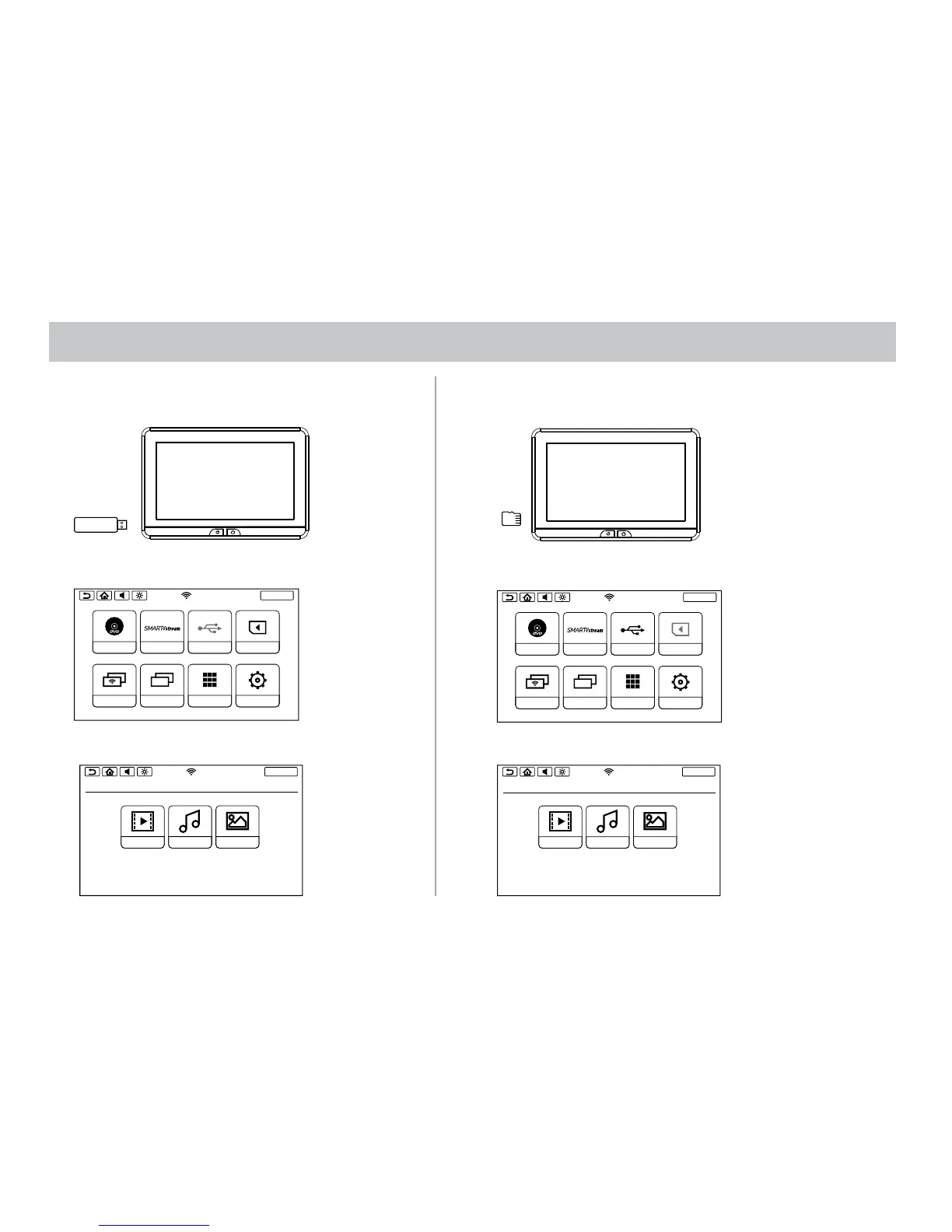
USB & SD CARD PLAYBACK
USB PLAYBACK
1. Insert a USB device into monitor USB port.
SD CARD PLAYBACK
1. Insert a Micro SD Card into the monitor.
2. Select USB source in the Main Menu.
2. Select SD source in the Main Menu.
3. Select the playing mode Video, Music or Photo.
3. Select the playing mode Video, Music or Photo.
SCREENOFF
DVD
SmartStream
USB
SD
DUAL SCREEN WIFI DUAL SCREEN
APPS
SETUP


 To Next Page