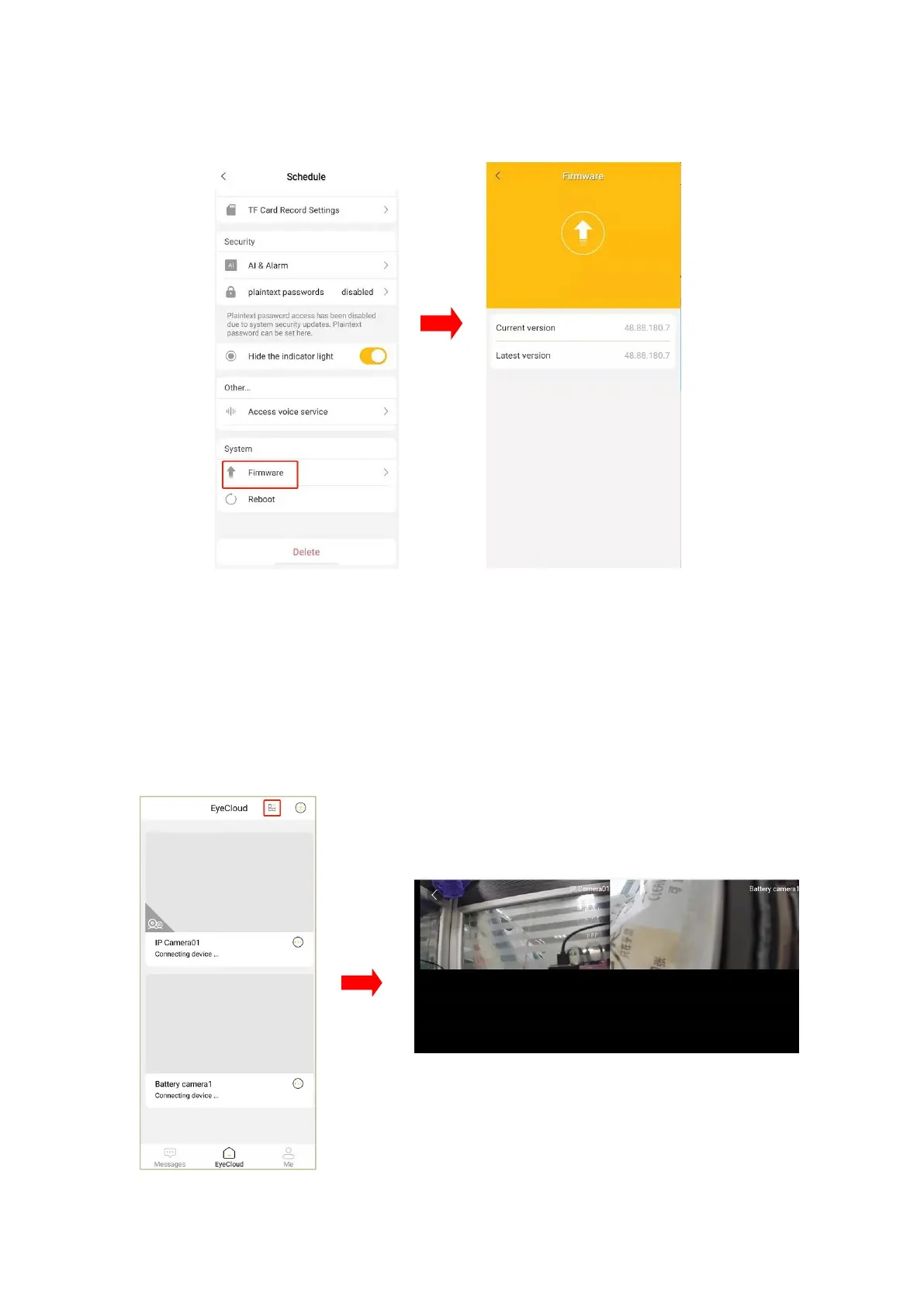
Click “firmware” in the setting interface, so that the current firmware version can be
seen, latest version also.
9. Four screen viewing at the same time
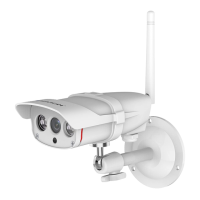
1. Login the APP→Click the four-screen button at the top left corner to enter the
four-screen model(when there are extra cameras, you can slide left and right on
the screen to view them).


 To Next Page