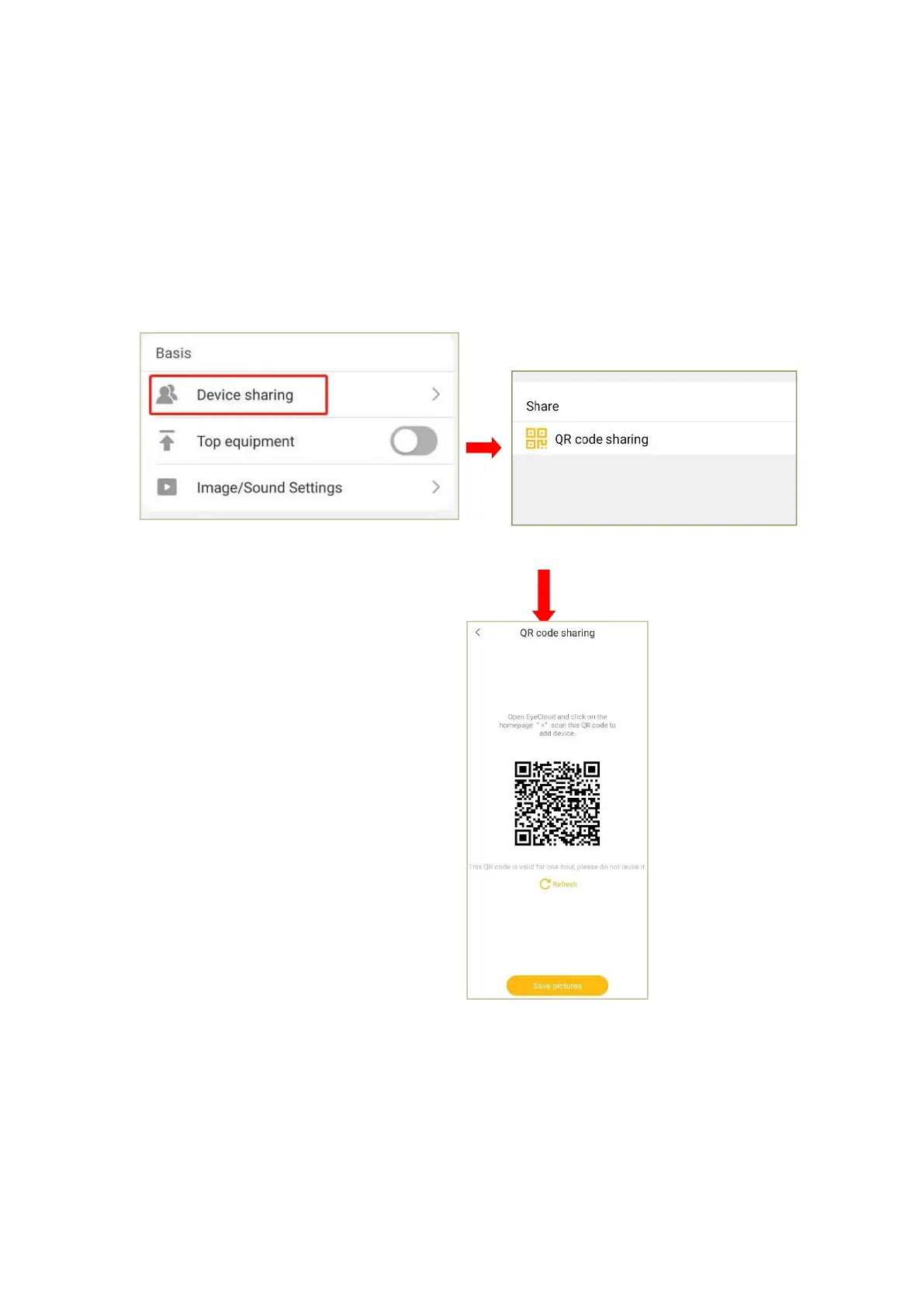
4. Device sharing
If other users want to add this camera,he can access to the camera via the function
of“device sharing”.
Click on“device sharing”and enter the page of the “QR code sharing”.Other users can
open the downloaded Eye4 APP to scan the QR code and watch the live video.
Through the option of “user management”,all the user name added to the camera can
be seen,you can delete the shared users here.


 To Next Page