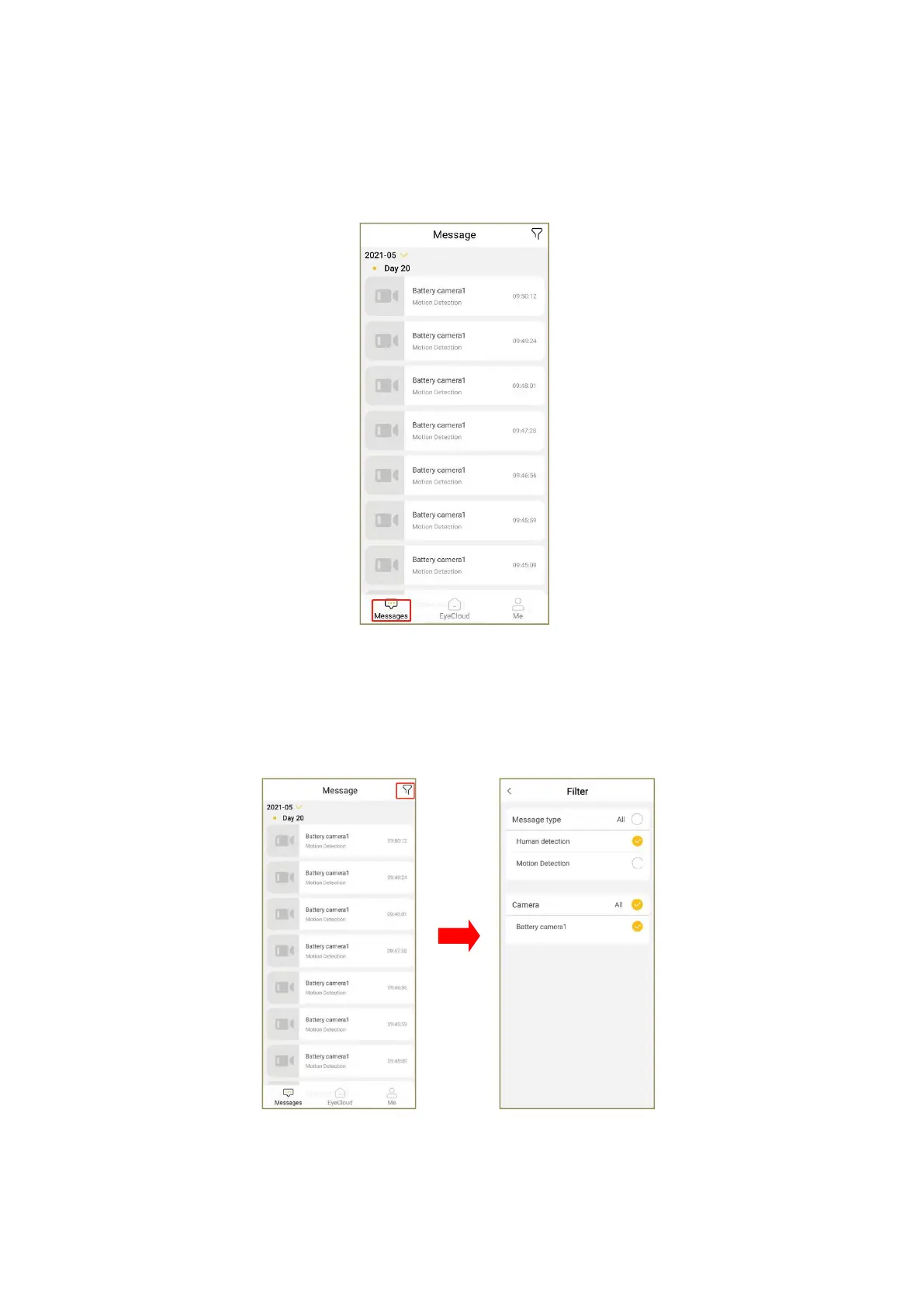
12、Alarm message
To check the alarm message of mobile APP, open the APP and click "Message" in the
lower left corner of the home page to view.
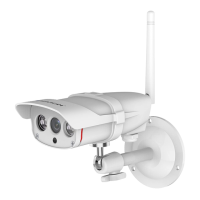
12.1 How do I filter alarm message records
To filter the alarm message, please click the funnel icon in the upper right corner of
the message center to enter the filter page, check the corresponding message type and
camera, and screen the alarm message type of the camera you want to see.
12.2 How do I delete a message record(Only cameras that support dual authentication
and some special models support this feature)


 To Next Page